Add-ons / Page Checker
Page Checker add-on
Catch what readers and search engines trip over, before you publish.
A page can look finished and still have photos without a description, a button that goes nowhere or light grey text nobody can read. These are easy to miss by eye and easy to fix once you know where they are. Page Checker looks through the whole page and lists each problem, with a click to show where it is.
$29
For ContentBuilder.js 6.0.12 and ContentBox.js 6.0.13, or newer.
One price. Use it wherever your ContentBuilder.js or ContentBox.js licence lets you use the editor, on websites or in SaaS. Source code and 1 year of updates and email support included.
Or get it in the Writing bundle for $139, or with all add-ons for $299.
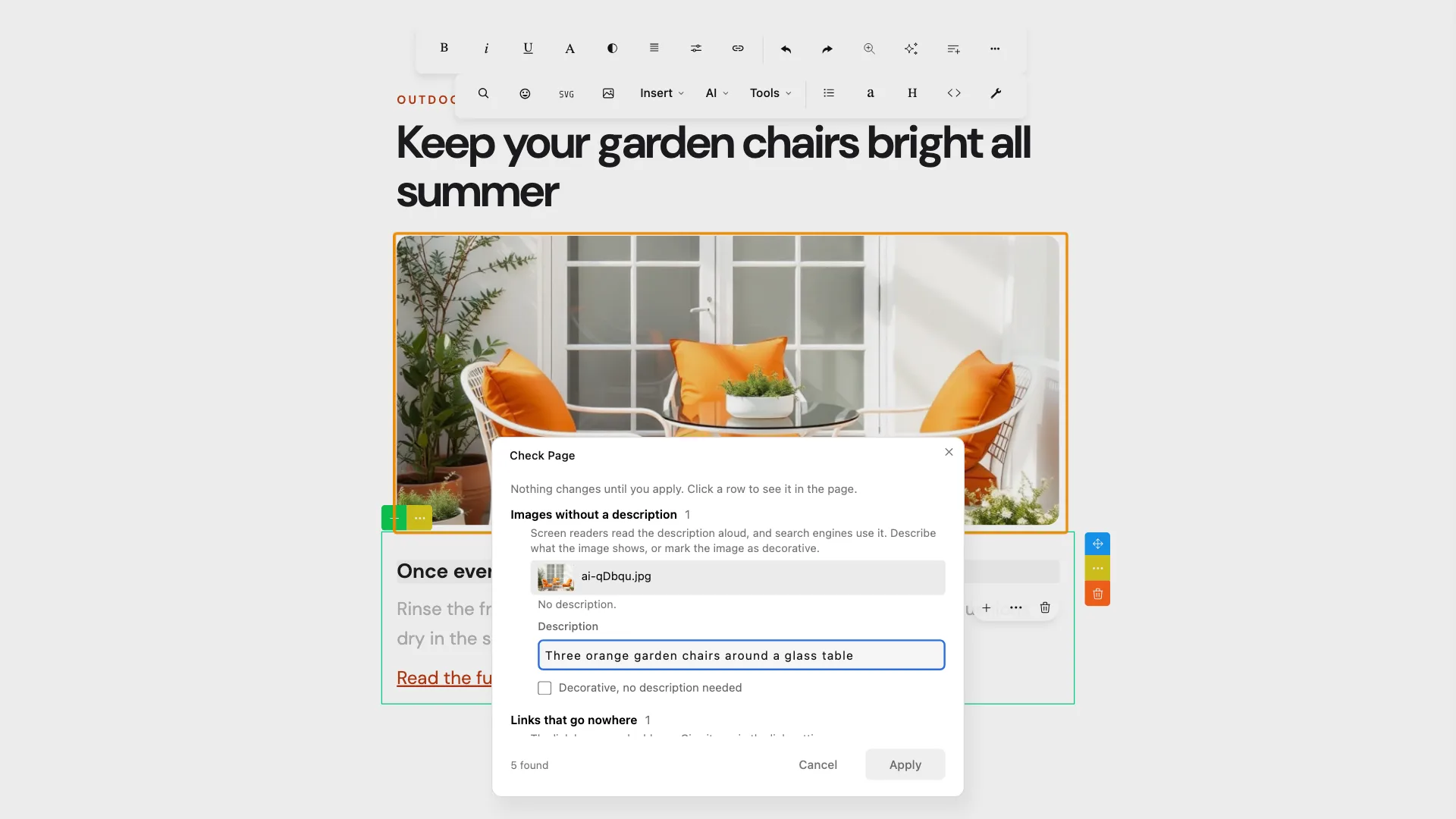
Check a page, describe a photo, fix a skipped heading and make a smaller copy of a large photo, all from the list, then apply.
Why it is different
Fix it from the list
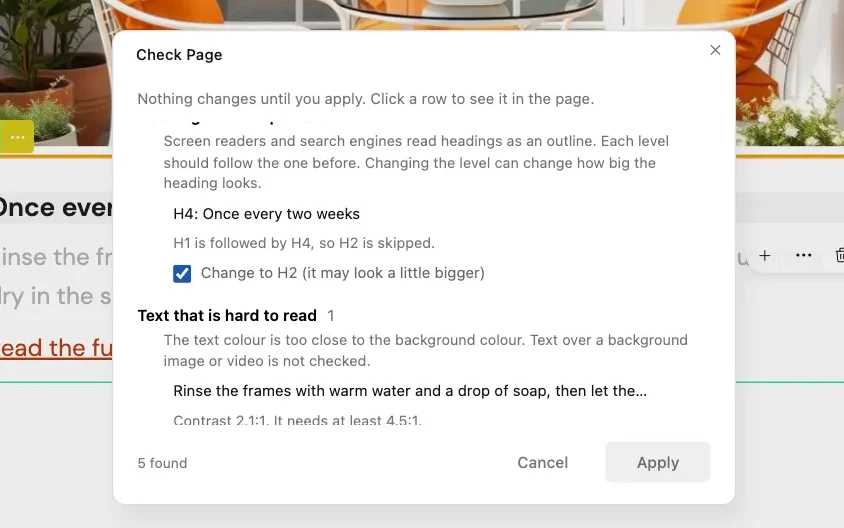
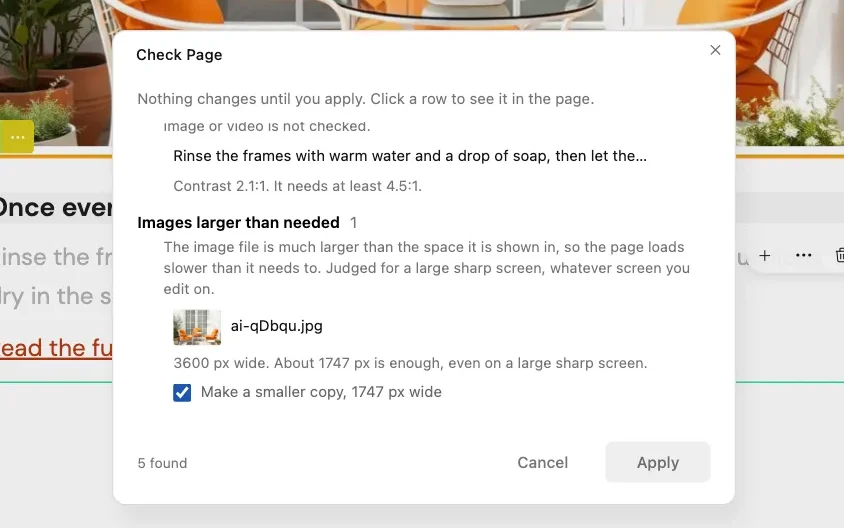
Describe a photo or mark it decorative, give an icon link its text, set a skipped heading to the right level, remove an empty heading, or make a smaller copy of an oversized image. Nothing changes until you apply, and one Undo takes it all back.
Problems people really hit
Images without a description, links that go nowhere or to a part of the page that is gone, headings that skip a level, text with too little contrast, and photos far larger than they are shown.
Plain words, not codes
Every problem says what is wrong and why it matters, for example "Contrast 1.7:1. It needs at least 4.5:1."
How it works
1
Click Check Page
Click into any text and choose the button. The whole page is checked.
2
Go through the list
Problems are grouped by kind. Click a row and the page scrolls to it and marks it.
3
Fix and apply
Tick or type the fixes in the list and apply. Link addresses and colors you change in the page as usual.
Screenshots
Turn it on
Copy the add-on next to the editor files and add it to the addons option. Works with a script tag or a bundler (React, Next.js, Vue, Vite).
const builder = new ContentBuilder({
    container: '.container',
    addons: [ContentBuilderAddons.PageChecker()],
});
Questions
- What does it check?
- Images without a description or with the file name as description, links without text, links that go nowhere or to a missing part of the page, headings that skip a level or are empty, text below 4.5:1 contrast (3:1 for large text), and images much larger than they are shown.
- Does it change anything by itself?
- No. Only the fixes you fill in or tick in the list are made, and only when you click Apply. A smaller image copy goes through your image upload; the original file stays.
- Is everything on the page checked?
- Text and images are. Plugin blocks, code and locked parts are skipped, and text over a background image or video is not judged for contrast, because its real contrast cannot be measured.
- Can I use it in my SaaS or an app I sell?
- Yes, with a Pro or Super licence of ContentBuilder.js or ContentBox.js.
- Is the source code included?
- Yes. Every add-on comes with its source code, whichever licence you have, so you can change it for your project.
- How long are updates and support?
- 1 year of free updates and email support included. Updating is optional.