Add-ons / Clean Up Typography
Clean Up Typography add-on
Curly quotes and real dashes, without hunting for them.
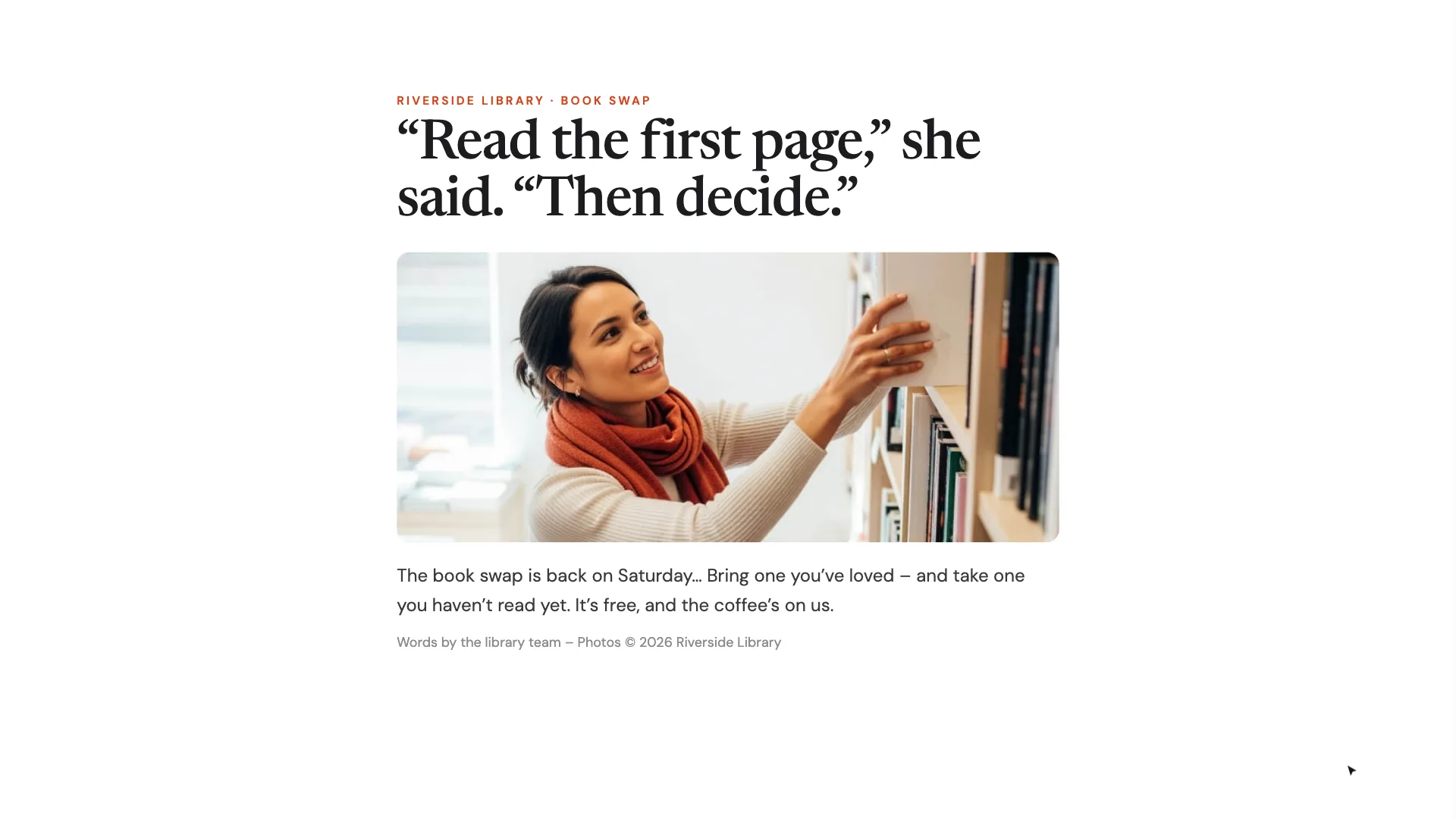
Text typed on a keyboard or pasted from an email arrives with straight quotes, double hyphens and three dots. On a finished page they look unprofessional, and fixing them by hand means finding every one. This add-on finds them all and shows each change in its sentence before anything changes.
$19
For ContentBuilder.js 6.0.12 and ContentBox.js 6.0.13, or newer.
One price. Use it wherever your ContentBuilder.js or ContentBox.js licence lets you use the editor, on websites or in SaaS. Source code and 1 year of updates and email support included.
Or get it in the Writing bundle for $139, or with all add-ons for $299.
Clean up a page: open the list, check it, apply.
Why it is different
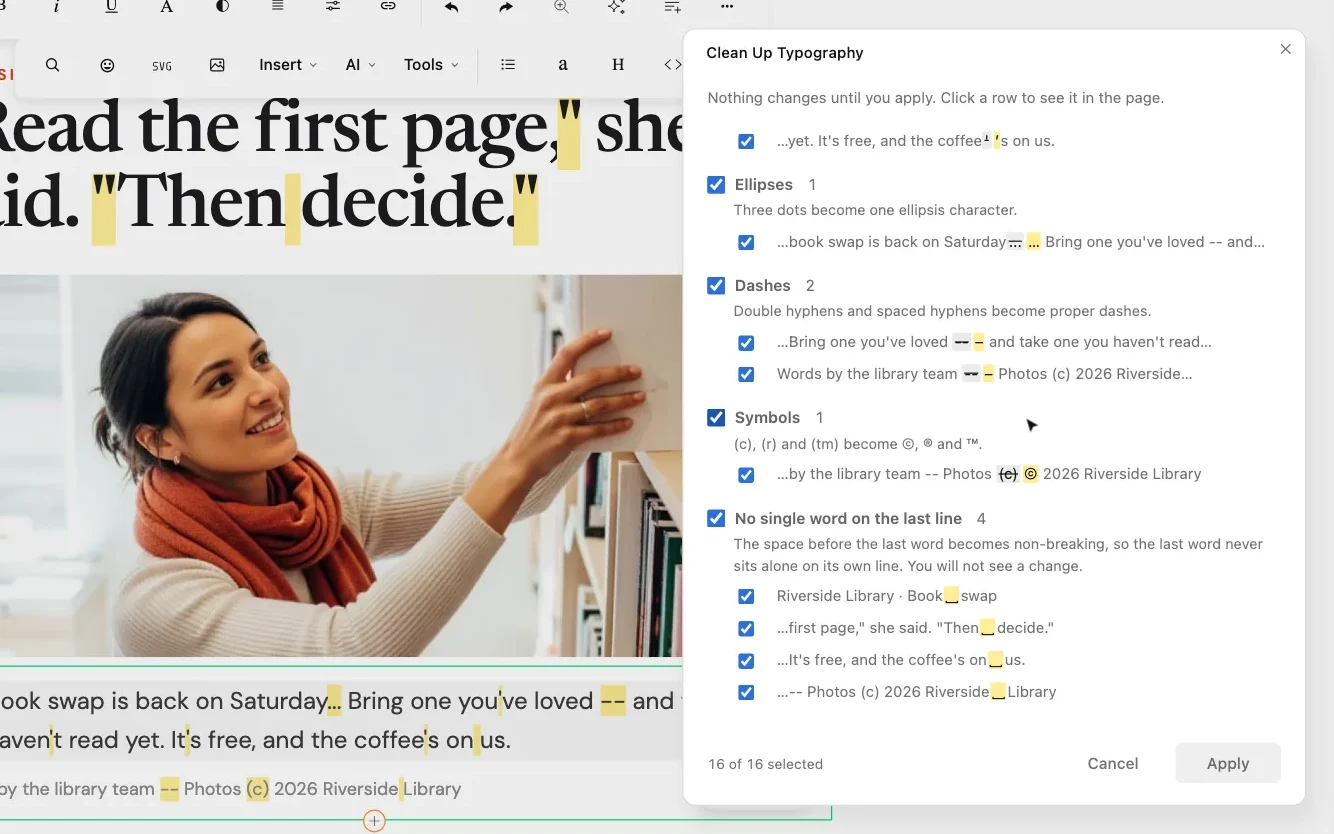
You see every change first
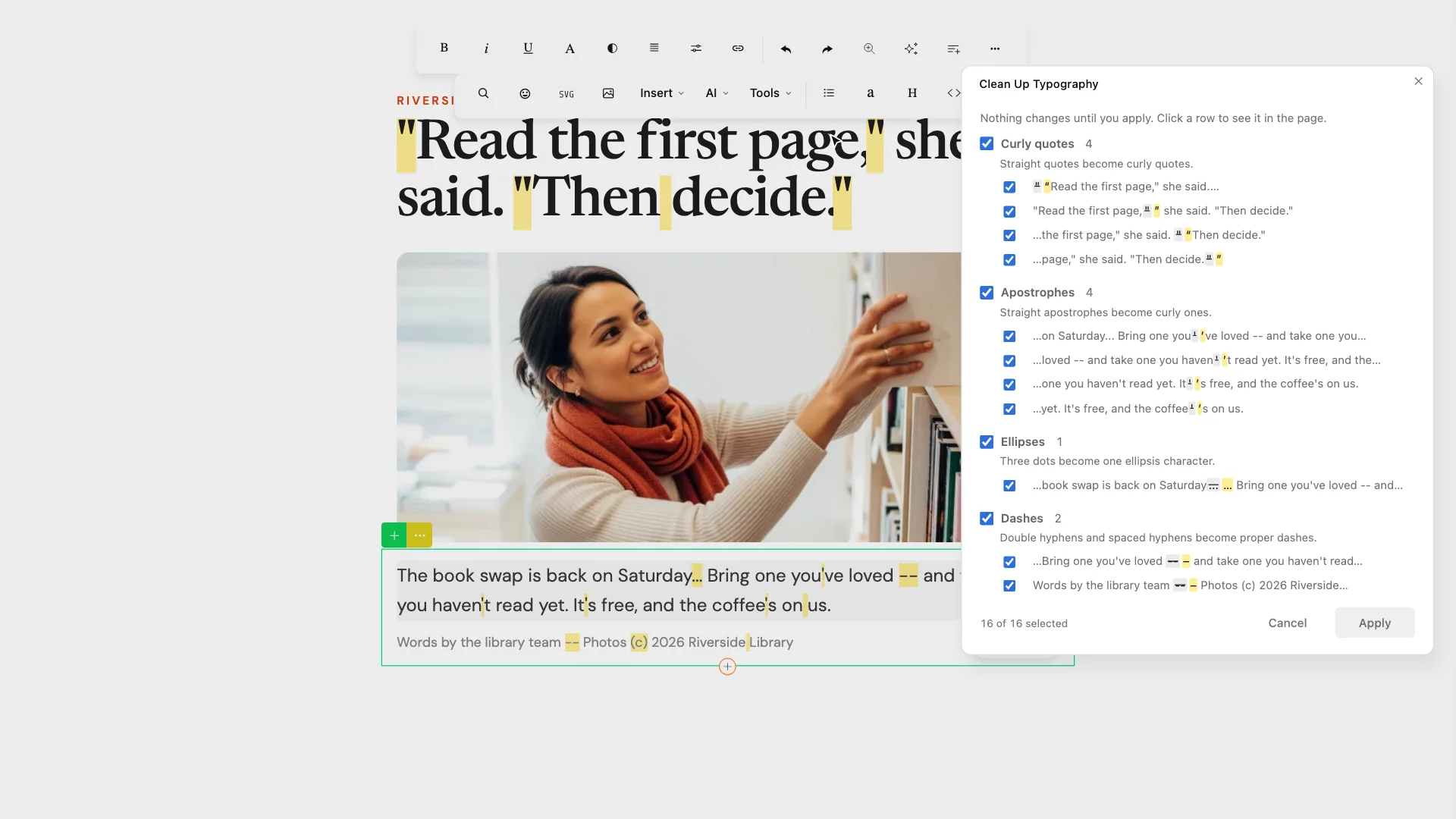
Each fix is listed in its sentence and marked in the page. Untick anything you want to keep as it is.
Knows what to leave alone
Code, dates like 2024-05 and hyphenated words stay as they are. Apostrophes in words like ’90s point the right way.
Spacing that holds together
A number stays with its unit, and the last word of a paragraph never sits alone on its line. Invisible, but the page reads better.
How it works
1
Click Clean Up Typography
Click into any text and choose the button. The whole page is checked, not only that paragraph.
2
Check the list
Changes are grouped: quotes, apostrophes, dashes, ellipses, symbols and spacing. Click a row to see it in the page.
3
Apply
Everything you kept ticked changes at once. One Undo takes it all back.
Screenshots
Turn it on
Copy the add-on next to the editor files and add it to the addons option. Works with a script tag or a bundler (React, Next.js, Vue, Vite).
const builder = new ContentBuilder({
    container: '.container',
    addons: [ContentBuilderAddons.CleanUpTypography()],
});
Questions
- Does it work in other languages?
- Yes. Quotes follow the page language: “…” in English, „…“ in German, « … » in French, and Spanish and Italian too. The add-on’s labels can be translated.
- Can it clean text as it is pasted?
- Yes, turn on the onPaste option and pasted text is cleaned straight away.
- Can I turn off the spacing fixes?
- Yes. Number-and-unit and last-word spacing each have their own option.
- Can I use it in my SaaS or an app I sell?
- Yes, with a Pro or Super licence of ContentBuilder.js or ContentBox.js.
- Is the source code included?
- Yes. Every add-on comes with its source code, whichever licence you have, so you can change it for your project.
- How long are updates and support?
- 1 year of free updates and email support included. Updating is optional.