Add-ons / Import and Export
Import and Export add-on
Drop in a Word file. Get a clean page.
Most content starts in Word, Google Docs or a spreadsheet. Pasting it brings stray fonts, colors and broken spacing, and someone has to clean it up by hand. With this add-on, a file goes straight into the page as clean content.
Free
For ContentBuilder.js 6.0.12 and ContentBox.js 6.0.13, or newer.
Free. Use it wherever your ContentBuilder.js or ContentBox.js licence lets you use the editor, on websites or in SaaS. Source code included.
Import a Word document: choose the file, check the preview, insert. It takes the style of the page.
Why it is different
Takes the style of your page
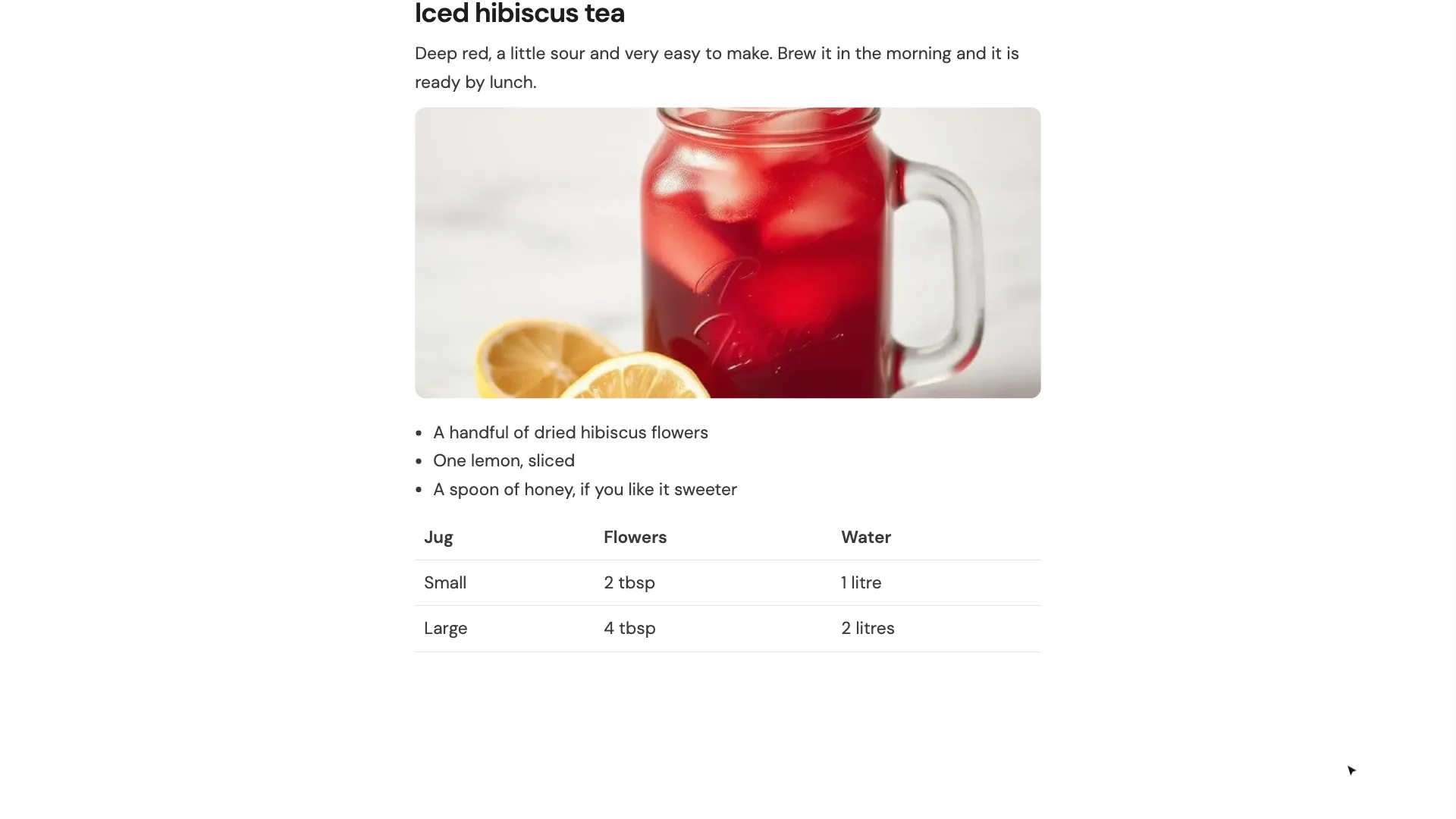
Headings, lists, tables, links and images come in as the editor's own content. Word's fonts, colors and layout stay behind.
Spreadsheets become real tables
Excel, OpenDocument and CSV, with the values as they show in the sheet, merged cells and links.
Nothing leaves the browser
The files are read in the browser. Images go through your own upload, like any image.
How it works
1
Choose a file
A Word document, a Markdown file or a spreadsheet. Or paste text from Word, Google Docs or a web page.
2
Check the preview
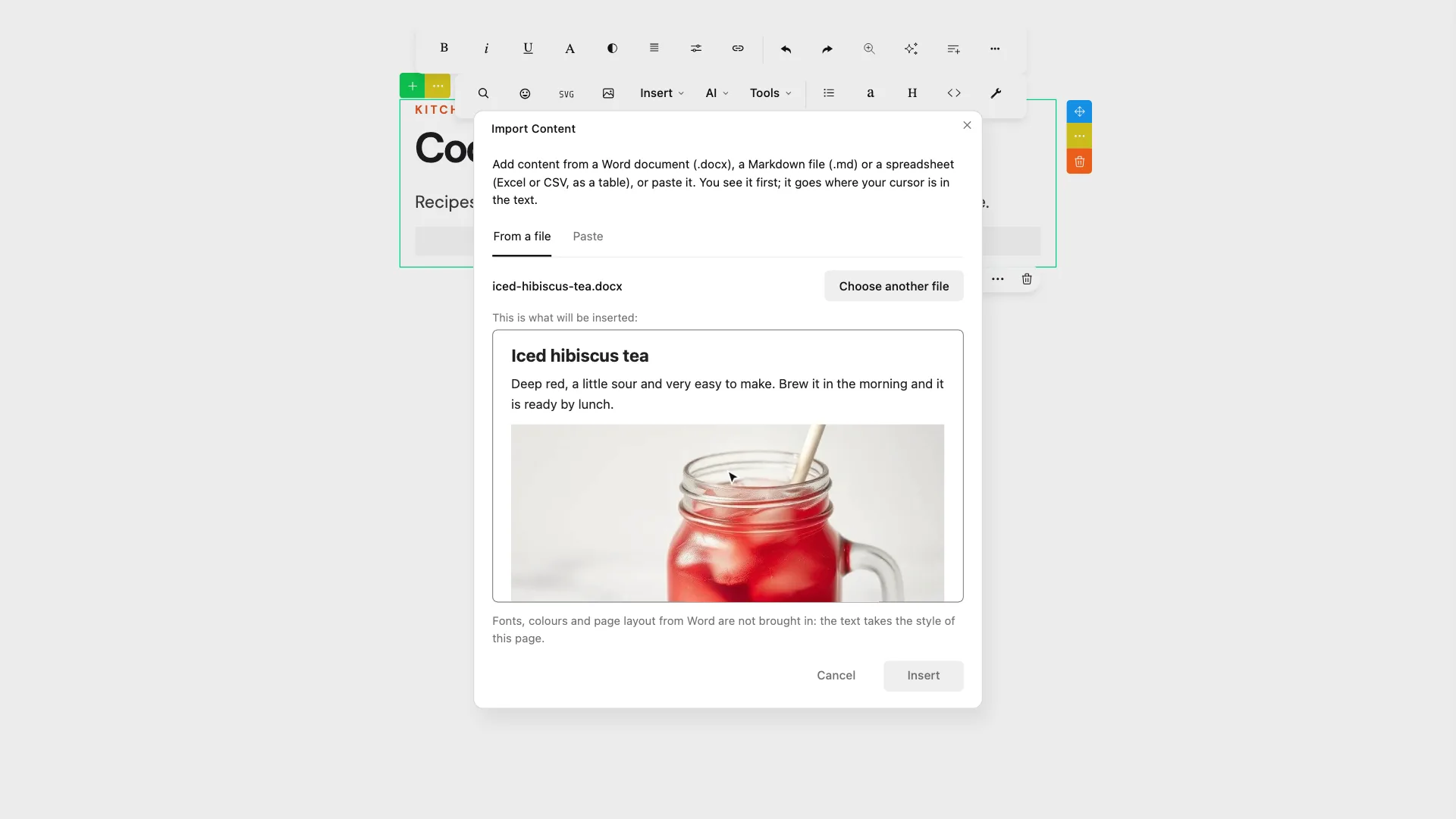
The dialog shows exactly what will be inserted.
3
Insert
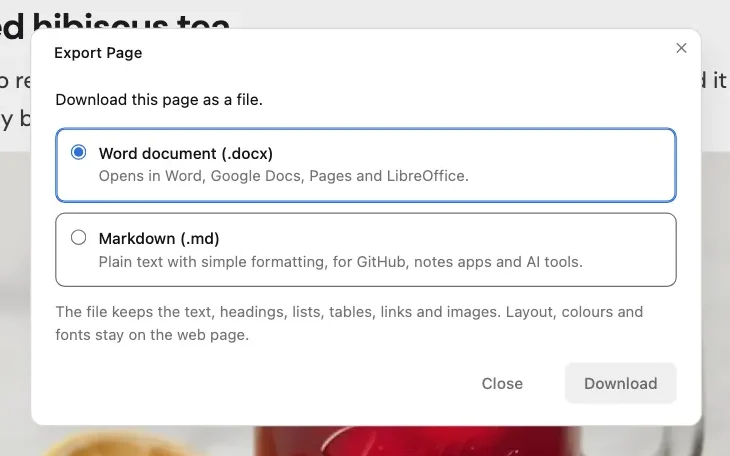
It goes where the cursor is. One Undo takes it all out again. Export Page does the reverse: the page as a Word or Markdown file.
Screenshots
Turn it on
Copy the add-on next to the editor files and add it to the addons option. Works with a script tag or a bundler (React, Next.js, Vue, Vite).
const builder = new ContentBuilder({
    container: '.container',
    addons: [ContentBuilderAddons.ImportExport()],
});
Questions
- Which files can be imported?
- Word (.docx), Markdown (.md), Excel (.xlsx, .xls), OpenDocument (.ods) and CSV. Text copied from Word, Google Docs or a web page can be pasted.
- What does an exported file keep?
- The text, headings, lists, tables, links and images. Plugin blocks and videos cannot be held by a file, so they are left out, and the dialog says how many.
- Does it make the editor slower?
- No. The Word and spreadsheet support loads only when someone imports or exports one.
- Can I use it in my SaaS or an app I sell?
- Yes, with a Pro or Super licence of ContentBuilder.js or ContentBox.js.
- Is the source code included?
- Yes. Every add-on comes with its source code, whichever licence you have, so you can change it for your project.
- How long are updates and support?
- 1 year of free updates and email support included. Updating is optional.