Add-ons / More Fonts
More Fonts add-on
Every Google font, previewed in your own words.
A heading in the right typeface changes the whole page. The editor's font list is short on purpose, and adding a font used to mean editing code. With this add-on the whole Google Fonts collection is one click away, shown in your own text, and a font you add is ready in the list straight away.
$12
For ContentBuilder.js 6.0.12 and ContentBox.js 6.0.13, or newer.
One price. Use it wherever your ContentBuilder.js or ContentBox.js licence lets you use the editor, on websites or in SaaS. Source code and 1 year of updates and email support included.
Or get it in the Writing bundle for $139, or with all add-ons for $299.
Preview fonts with your own heading, add one, apply it.
Why it is different
See it with your words
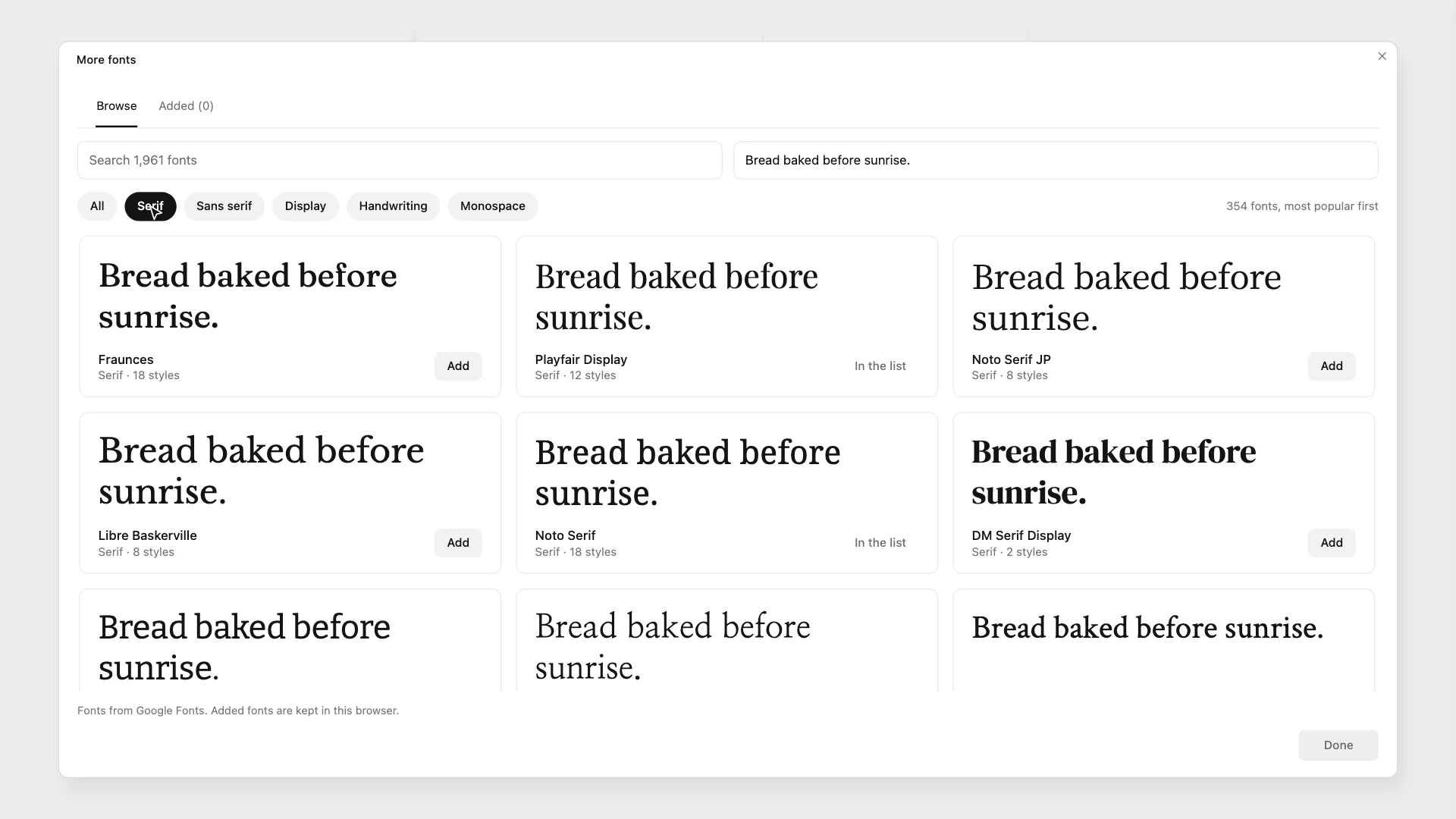
Type your own sample text and every font shows it in its own face, so you judge the font on your heading, not on a pangram.
About 1,960 families
Search by name or filter by kind: serif, sans serif, display, handwriting or monospace. The most popular come first.
Ready in the list at once
Click Add and the font joins the font list in an Added group. When you close the dialog, the list opens again so you can pick it right away.
How it works
1
Open More fonts
Open the font list and click More fonts... at the bottom.
2
Find a font
Search, filter by kind, and type your own sample text to compare.
3
Add and use it
Click Add, then pick the font from the list like any other.
Screenshots
Turn it on
Copy the add-on next to the editor files and add it to the addons option. Works with a script tag or a bundler (React, Next.js, Vue, Vite).
const builder = new ContentBuilder({
    container: '.container',
    addons: [ContentBuilderAddons.MoreFonts()],
});
Questions
- Do visitors see the font on the published page?
- Yes. A page that uses an added font carries the link to it, as with any font from the editor, so it shows everywhere.
- Are added fonts kept?
- They are kept in the browser and come back each time the editor opens there. On another browser or computer the Added list starts empty, but pages keep their fonts.
- Does it need a server?
- No. The font list and the previews come from Google Fonts. If your editor uses another Google Fonts compatible service, the add-on uses that one too.
- Can I use it in my SaaS or an app I sell?
- Yes, with a Pro or Super licence of ContentBuilder.js or ContentBox.js.
- Is the source code included?
- Yes. Every add-on comes with its source code, whichever licence you have, so you can change it for your project.
- How long are updates and support?
- 1 year of free updates and email support included. Updating is optional.