Add-ons / AI Writing
AI Writing add-on
Better words, right where they are.
Most page text is written in a hurry: a first draft, a message from a client, a page that now needs a second language. Copying it into a chat tool and back loses the formatting and the flow of editing. AI Writing works on the text in the page, and you see every change before you keep it.
AI, uses your own key.
$29
For ContentBuilder.js 6.0.12 and ContentBox.js 6.0.13, or newer.
One price. Use it wherever your ContentBuilder.js or ContentBox.js licence lets you use the editor, on websites or in SaaS. Source code and 1 year of updates and email support included.
Or get it in the Writing bundle for $139, or with all add-ons for $299.
Three tools in one
1
Rewrite selected text
Improve, fix spelling, make it shorter or longer, change the tone, translate, or type your own instruction. The new version is shown in place: Accept, Try again or Discard.
2
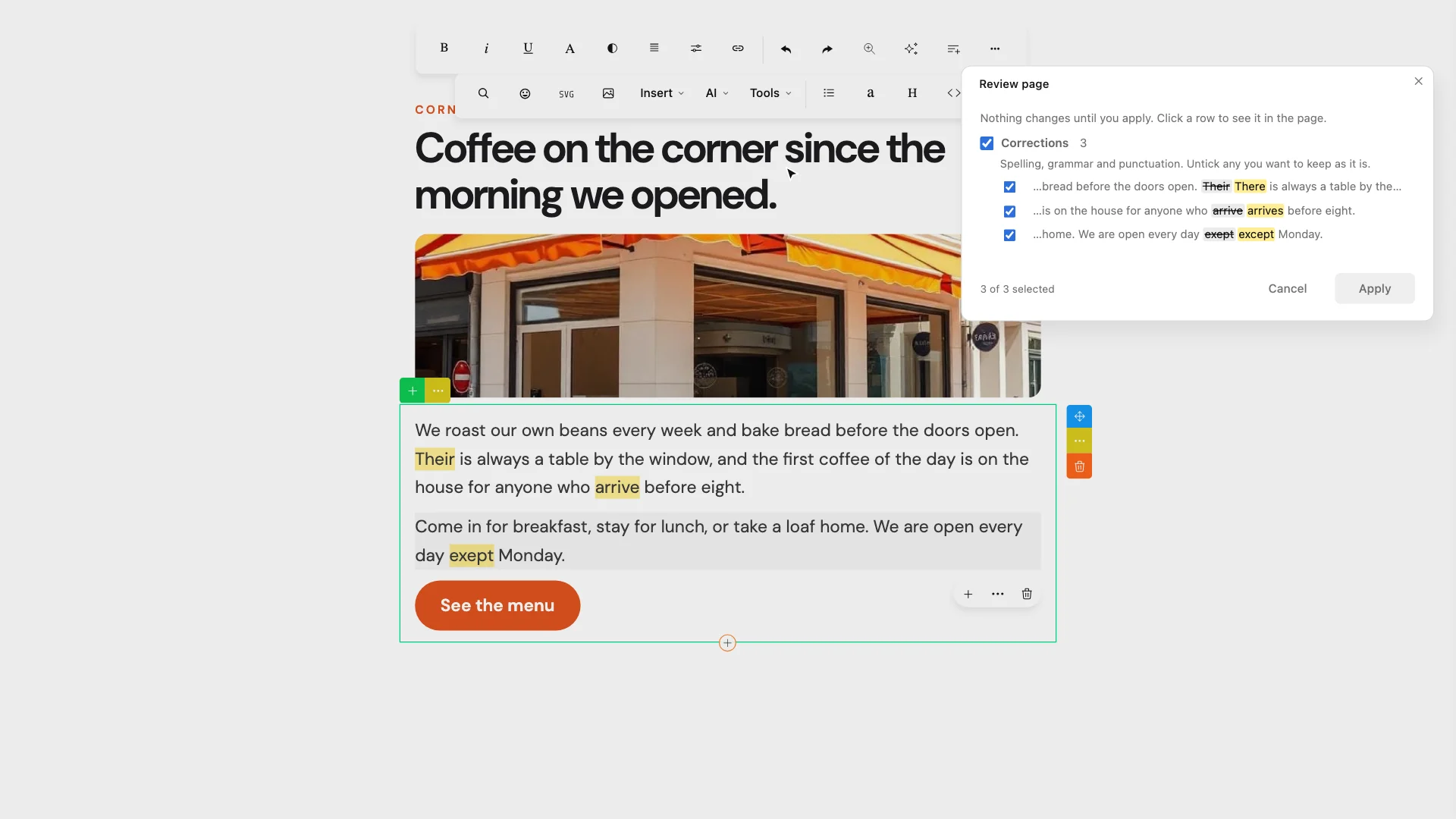
Review page
Proofreads the whole page for spelling, grammar and punctuation. Each correction is listed in its sentence; untick any you want to keep, then Apply. The wording itself is not rewritten.
3
Translate page
Every text on the page, buttons included, into the language you pick or type. A long page goes in parts while you watch, and the translated page waits for your Accept.
Why it is different
You decide before it changes
Every result is shown in the page first. Accept it, try another version or discard it. One Undo takes it back.
Keeps the page intact
Only text is sent. Bold, italic and links are kept, and images, videos and plugin blocks stay exactly where they are.
Uses your own AI set-up
It works through the routes and model your editor already uses for its AI features. No extra server, no new account.
Screenshots

Turn it on
Copy the add-on next to the editor files and add it to the addons option. Works with a script tag or a bundler (React, Next.js, Vue, Vite).
const builder = new ContentBuilder({
    container: '.container',
    addons: [ContentBuilderAddons.AIWriting()],
});
Questions
- Which AI model does it use?
- The one chosen in your editor’s AI settings, the same one its other AI features use. Each action and each Try again is one request, billed by your AI provider. Review page and Translate page send a long page in parts of about 1,000 words.
- Which languages can it translate to?
- Nine are listed by default, any other can be typed, and you can set your own list with the languages option.
- How much text can it handle?
- Up to about 2,000 words in one rewrite, and up to about 13,000 words for Review page or Translate page.
- Does it work with Slash Commands?
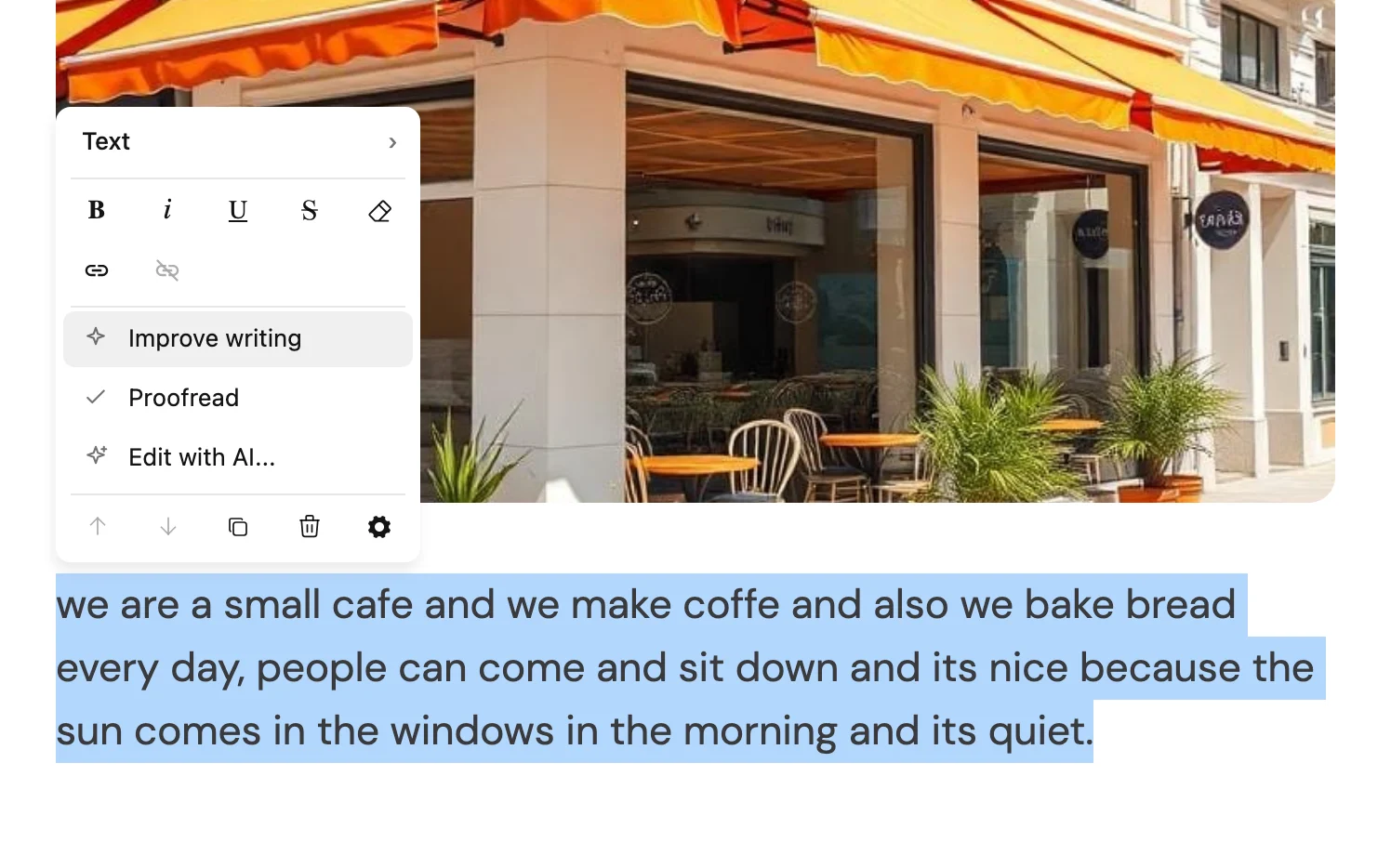
- Yes. With the Slash Commands add-on installed, the panel beside selected text also has Improve writing, Proofread and Edit with AI... (the full bar: Shorter, Longer, Tone, Translate or your own instruction). They work on just the selected words. It needs the next update of ContentBuilder.js and ContentBox.js; with an older editor, everything else works as before.
- Can I use it in my SaaS or an app I sell?
- Yes, with a Pro or Super licence of ContentBuilder.js or ContentBox.js.
- Is the source code included?
- Yes. Every add-on comes with its source code, whichever licence you have, so you can change it for your project.
- How long are updates and support?
- 1 year of free updates and email support included. Updating is optional.