Add-ons / Image Shapes
Image Shapes add-on
A softer frame for any photo.
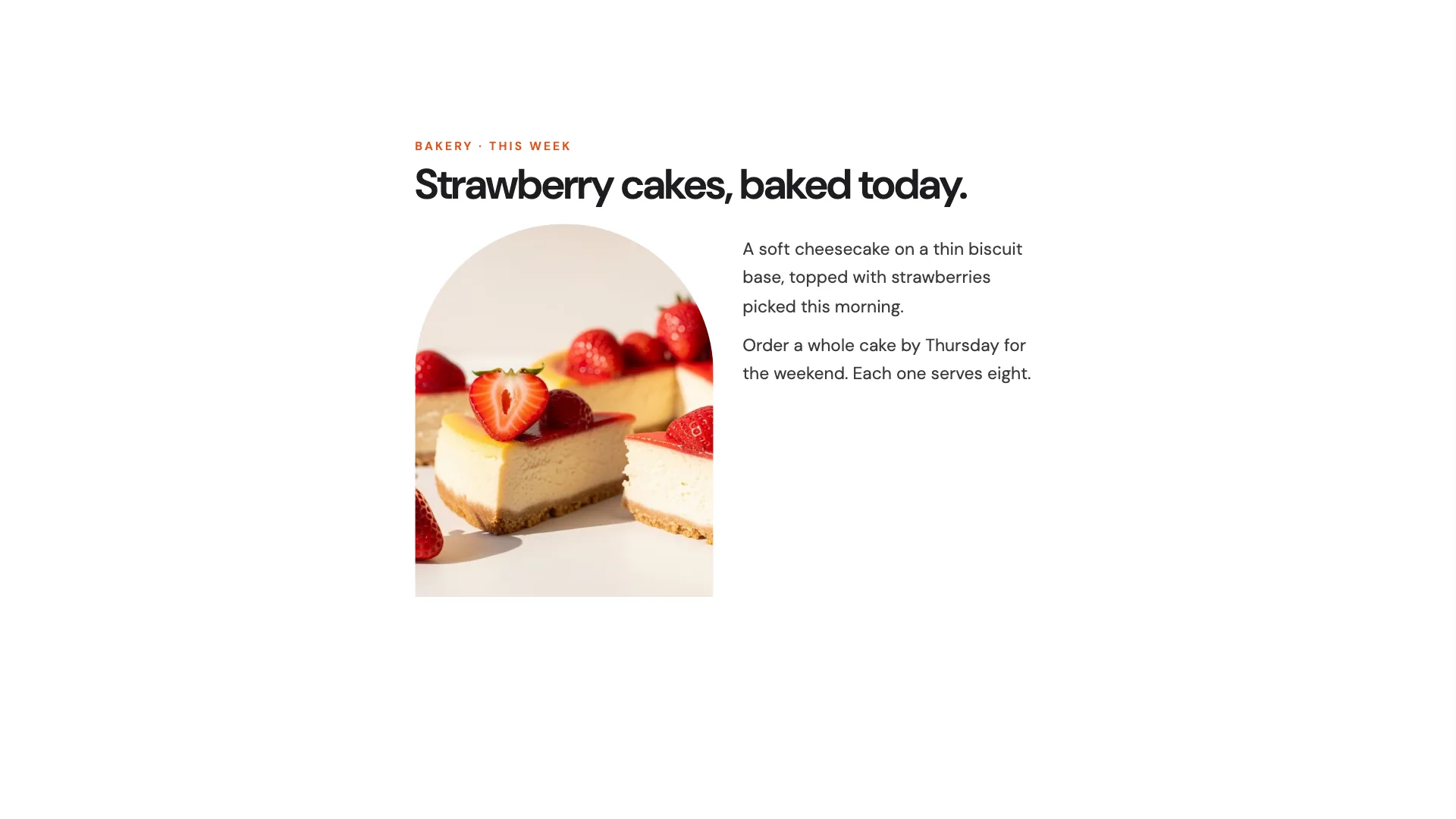
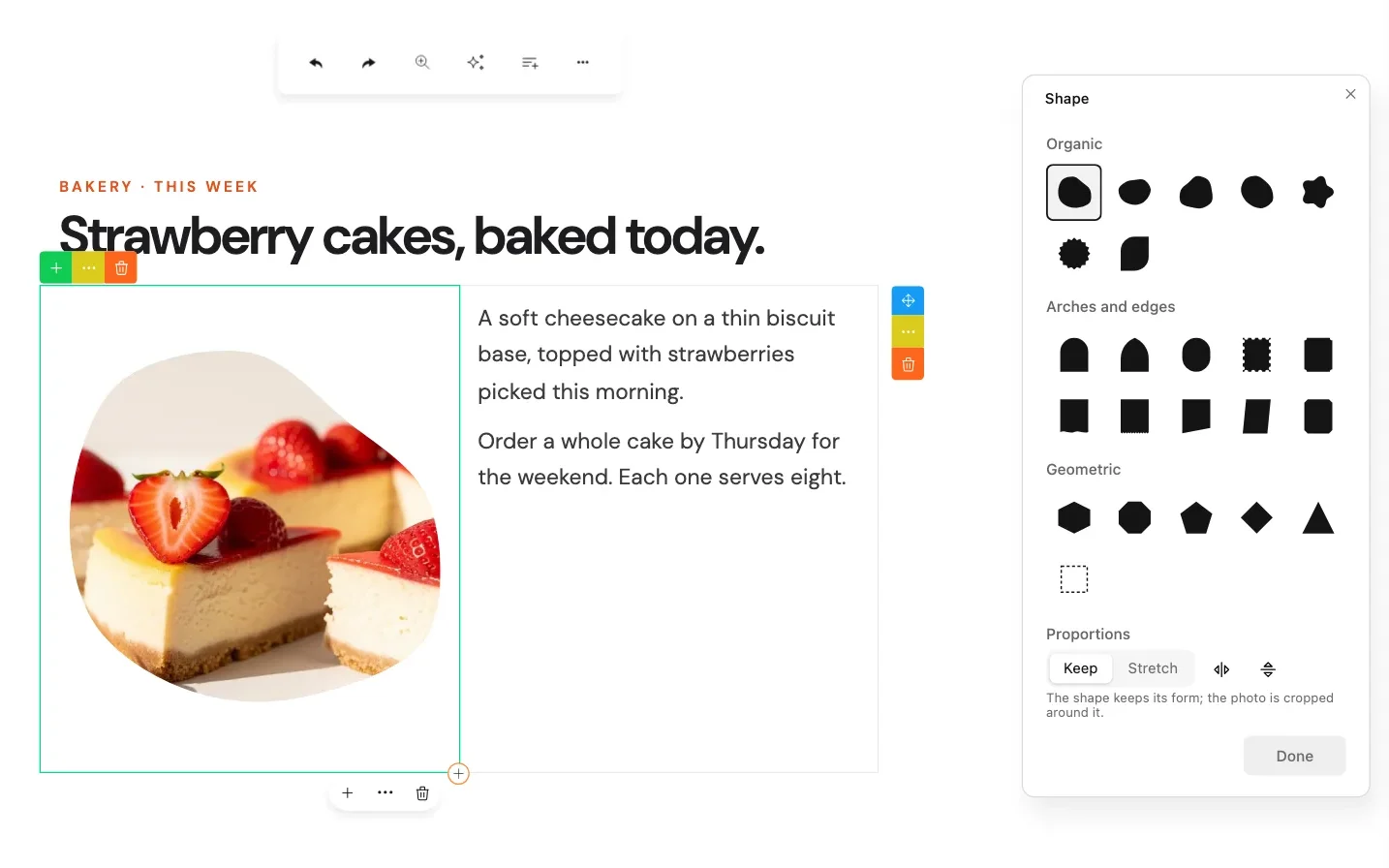
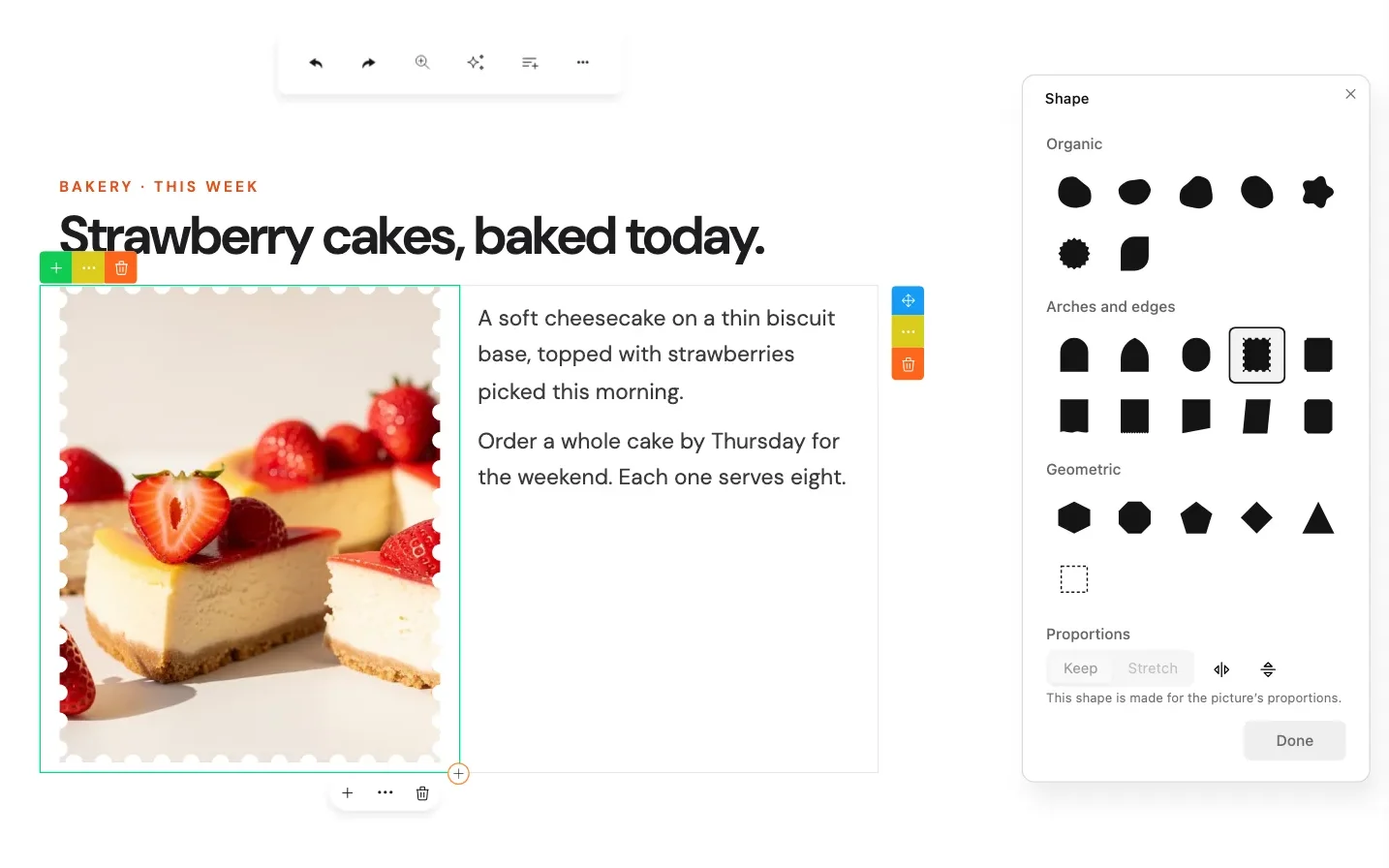
Click a picture, then Shape on its toolbar. Pick a blob, an arch, a stamp edge or a hexagon and see it on the page at once. The photo itself is never cut, so you can change the shape or take it off any time.
Free
For ContentBuilder.js 6.0.12 and ContentBox.js 6.0.13, or newer.
Free. Use it wherever your ContentBuilder.js or ContentBox.js licence lets you use the editor, on websites or in SaaS. Source code included.
Blob, flower, arch, stamp, wave and hexagon tried, then the arch kept.
Why it is different
22 shapes
Organic blobs, pebble, flower and leaf; arches, stamp, ticket, wave and zigzag edges; hexagon, diamond and more.
Made for each picture
Arches and edges follow the picture’s proportions: an arch stays round on a tall photo, a stamp’s edge stays even on a wide one.
Nothing extra on the page
The photo is not cut and the published page loads nothing extra. Undo takes back each shape you try.
How it works
1
Click a picture
Then Shape on the image toolbar. The shapes open at the side, the picture stays in view.
2
Try shapes
Click as many as you like. Keep or Stretch sets the proportions; the flip buttons mirror a shape.
3
Done
Close with Done or Esc. No shape, the last tile, takes it off.
Screenshots
Turn it on
Copy the add-on next to the editor files and add it to the addons option. Works with a script tag or a bundler (React, Next.js, Vue, Vite).
const builder = new ContentBuilder({
    container: '.container',
    addons: [ContentBuilderAddons.ImageShapes()],
});
Questions
- Is my photo changed?
- No. The shape is only how the picture is shown. Pick No shape to see the whole photo again.
- What if I resize the picture later?
- Open Shape and pick the shape again, so it is made for the new proportions.
- Where are rounded corners?
- In the image’s own settings. This add-on is for the other shapes.
- Can I use it in my SaaS or an app I sell?
- Yes, with a Pro or Super licence of ContentBuilder.js or ContentBox.js.
- Is the source code included?
- Yes. Every add-on comes with its source code, whichever licence you have, so you can change it for your project.
- How long are updates and support?
- 1 year of free updates and email support included. Updating is optional.