Add-ons / AI Image Editing
AI Image Editing add-on
Change one part of a photo. Keep the rest.
The right photo is often almost right: an empty desk, a sign in the corner, something missing from the table. Fixing it usually means another app, an export and a new upload. With this add-on you select the part in the editor’s own image editor and say what should be there.
AI, uses your own key.
$29
For ContentBuilder.js 6.0.12 and ContentBox.js 6.0.13, or newer.
One price. Use it wherever your ContentBuilder.js or ContentBox.js licence lets you use the editor, on websites or in SaaS. Source code and 1 year of updates and email support included.
Or get it in the Visual Content bundle for $179, or with all add-ons for $299.
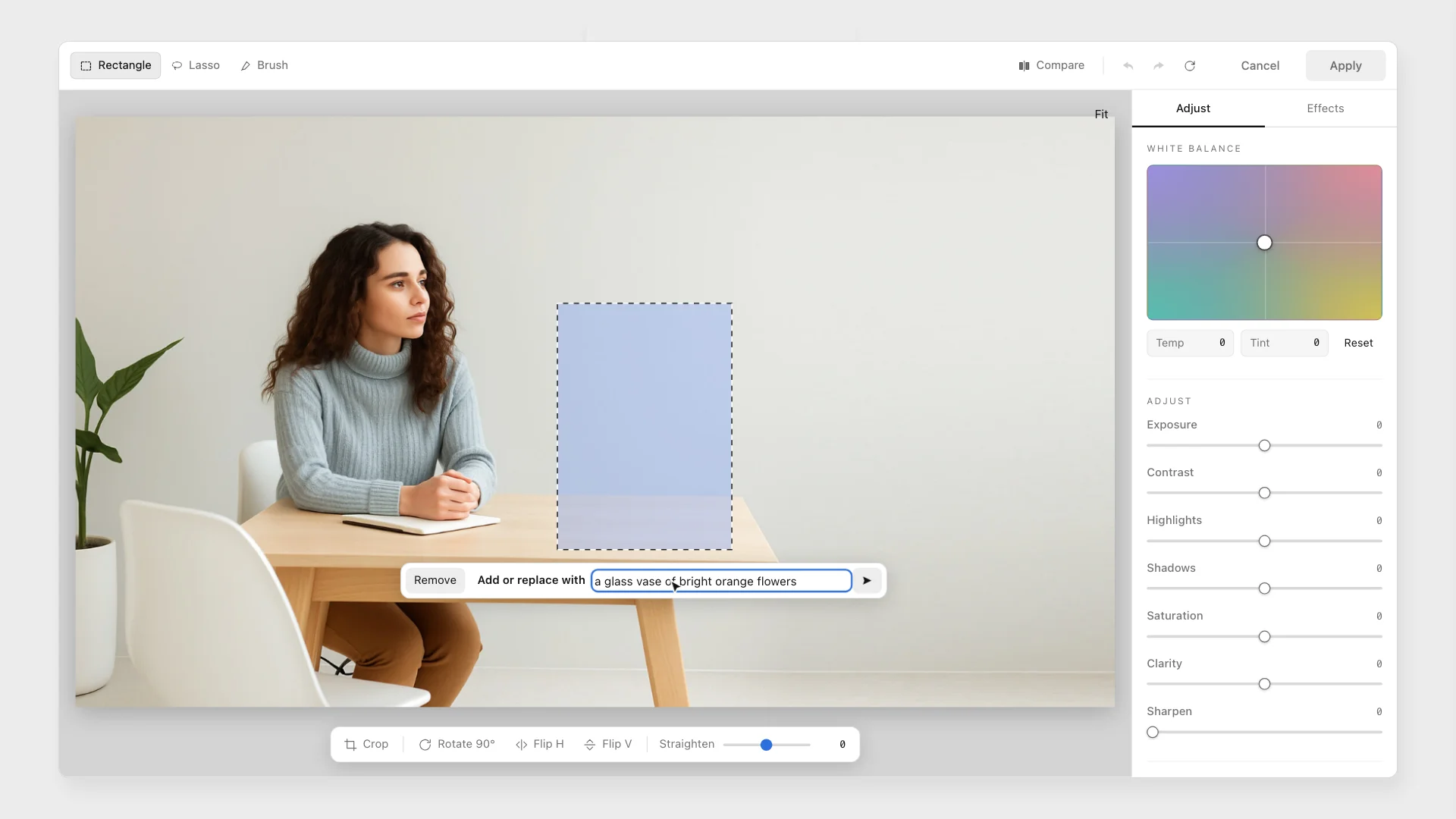
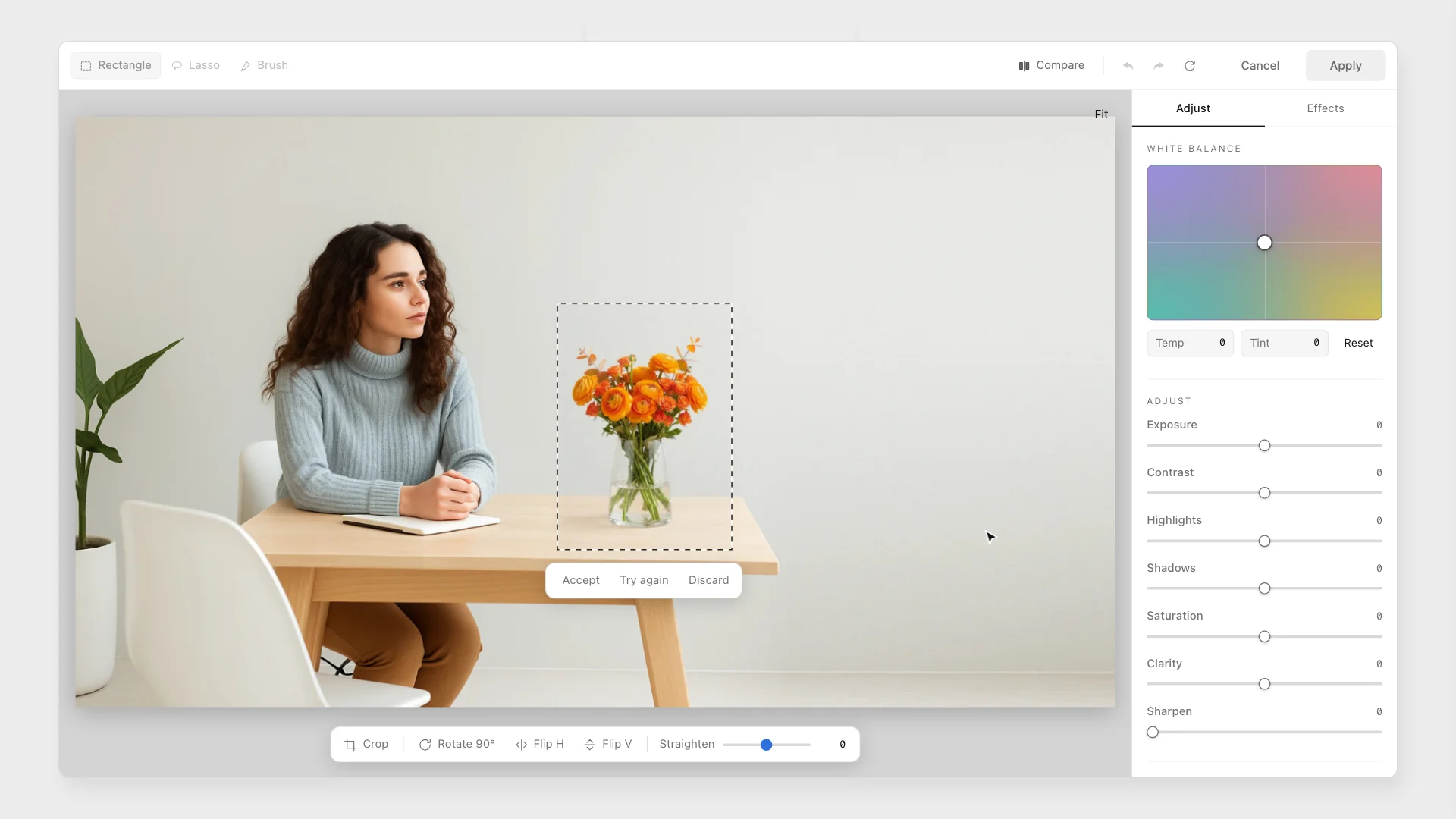
Select the empty part of the desk, describe a vase of flowers, accept it and apply.
Why it is different
Only your selection changes
Only the selected part, with a margin around it, is sent. The answer is blended back through the selection’s soft edge, so every other pixel stays exactly as it was.
Inside the image editor
Rectangle, Lasso or Brush in the top bar, then Remove or Add or replace. The photo never leaves the page you are editing.
Compare and choose
Hold Compare to see the photo as it was. Try again for another attempt; earlier ones stay as small pictures to switch between.
How it works
1
Select the part
Click a photo, then Edit. Drag a rectangle, draw around it with the lasso, or paint over it with the brush.
2
Remove or describe
Remove starts at once. Or type what should be there, for example "a glass vase of bright orange flowers".
3
Accept and apply
Keep the result, try again or discard it. Accept is one step in the image editor’s Undo.
Screenshots

Turn it on
Copy the add-on next to the editor files and add it to the addons option. Works with a script tag or a bundler (React, Next.js, Vue, Vite).
const builder = new ContentBuilder({
    container: '.container',
    addons: [ContentBuilderAddons.AIImageEditing()],
});
Questions
- Which AI model does it use?
- The image model your editor is set to for AI images. It must be able to edit photos; if it cannot, the editor says so and nothing is sent.
- What does it cost to run?
- Each Remove, Add or replace and Try again is one AI image request, billed by your AI provider.
- Does it need anything new on my server?
- No. It uses the AI image set-up your editor already has: the same routes and image models list.
- Can I use it in my SaaS or an app I sell?
- Yes, with a Pro or Super licence of ContentBuilder.js or ContentBox.js.
- Is the source code included?
- Yes. Every add-on comes with its source code, whichever licence you have, so you can change it for your project.
- How long are updates and support?
- 1 year of free updates and email support included. Updating is optional.