Add-ons / Equations
Equations add-on
Write maths the way it looks in a textbook.
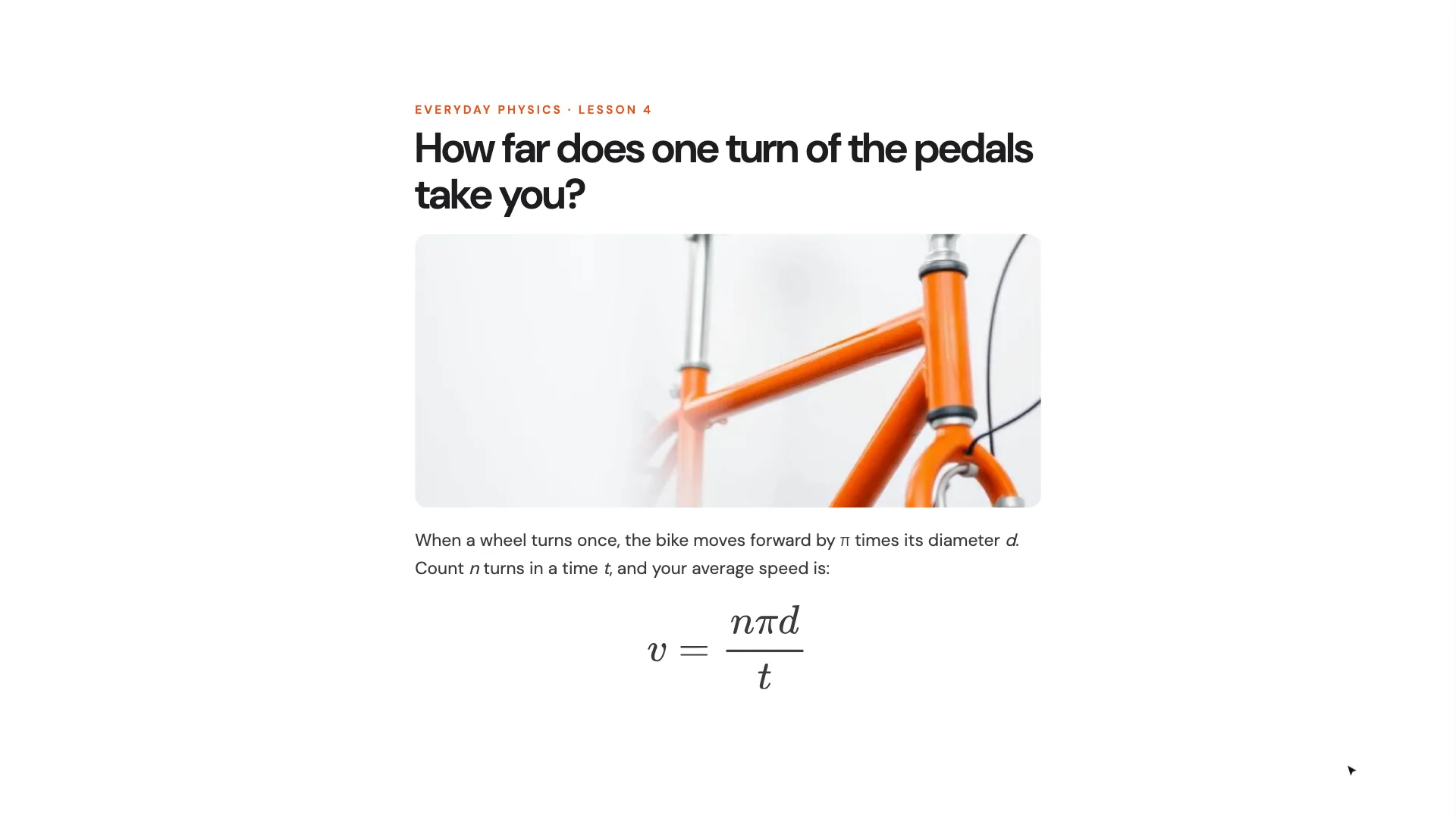
Lessons, science articles and price calculations need real formulas, not x^2 typed into a sentence or a screenshot that cannot be changed. With this add-on you type the equation, or build it with the symbol buttons, and it goes into the text looking exactly right.
$19
For ContentBuilder.js 6.0.12 and ContentBox.js 6.0.13, or newer.
One price. Use it wherever your ContentBuilder.js or ContentBox.js licence lets you use the editor, on websites or in SaaS. Source code and 1 year of updates and email support included.
Or get it in the Writing bundle for $139, or with all add-ons for $299.
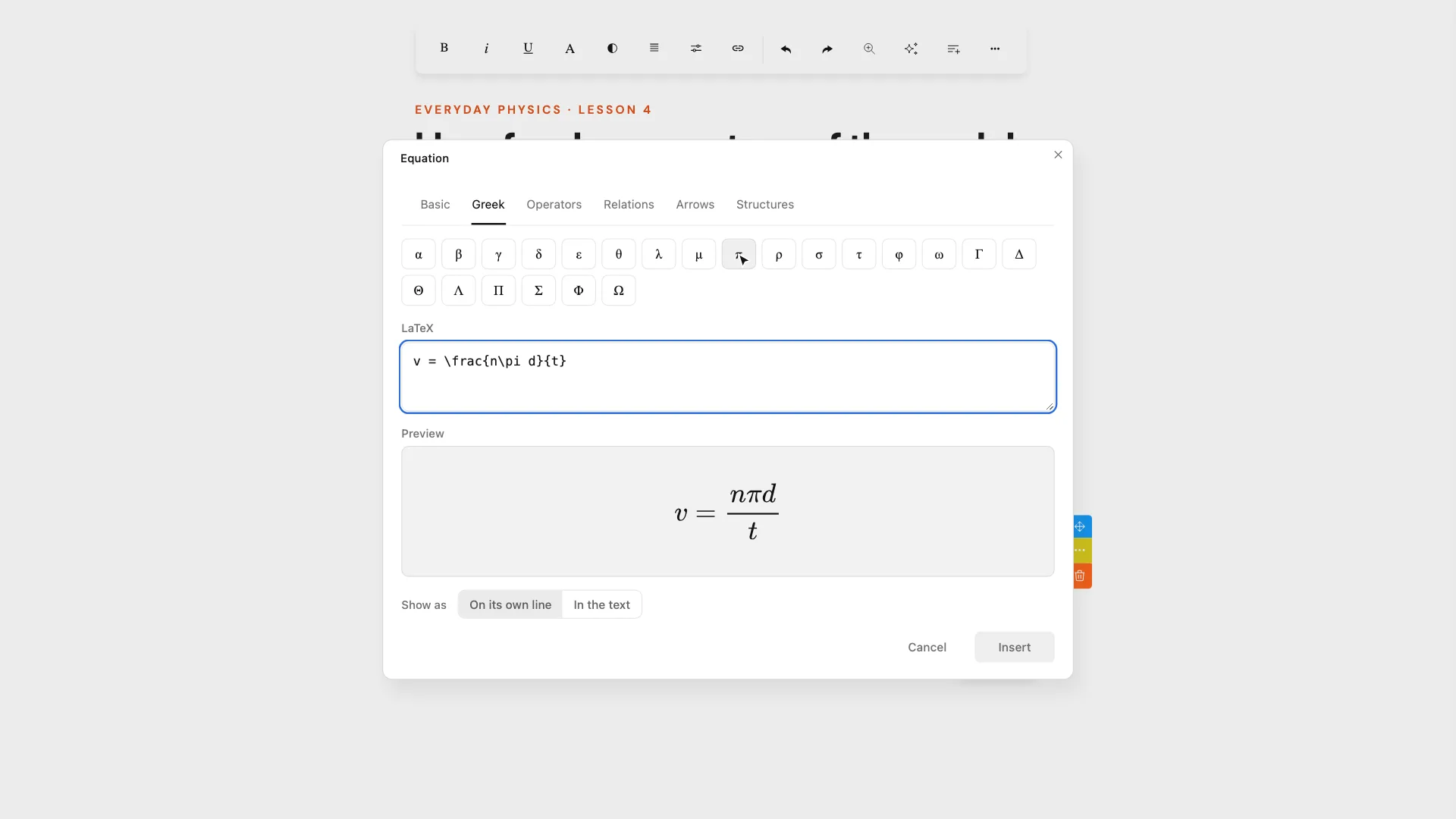
Insert › Equation, then Symbols and more: build the equation with the symbol buttons, check the preview, insert it.
Why it is different
No LaTeX needed
Fractions, roots, powers, Greek letters, operators and arrows are one click away. People who know LaTeX can simply type it.
Part of the text
An equation takes the size and color of the text around it, either inside a sentence or centred on its own line.
Nothing extra on the published page
Each equation is a finished drawing, so visitors load nothing for it. Its LaTeX is kept with it, so screen readers read it out and you can change it later.
How it works
1
Choose Equation
Put the cursor where the equation goes and choose Equation in the Insert menu. A small panel opens at the cursor.
2
Type or click
Type LaTeX in the panel, or open Symbols and more for the symbol buttons. The preview updates as you go and shows any mistake under it.
3
Insert
Choose In the text or On its own line, then Insert. Double-click an equation to change it.
Screenshots
Turn it on
Copy the add-on next to the editor files and add it to the addons option. Works with a script tag or a bundler (React, Next.js, Vue, Vite).
const builder = new ContentBuilder({
    container: '.container',
    addons: [ContentBuilderAddons.Equations()],
});
Questions
- Do I need a server or an account?
- No. Everything runs in the browser. The drawing part loads only when the Equation dialog is first opened.
- Can I change an equation later?
- Yes. Double-click it, or select it and click Edit Equation. The dialog opens with its LaTeX, and Insert becomes Apply.
- Can the dialog be translated?
- Yes. The add-on’s labels can be translated with the lang option.
- Can I use it in my SaaS or an app I sell?
- Yes, with a Pro or Super licence of ContentBuilder.js or ContentBox.js.
- Is the source code included?
- Yes. Every add-on comes with its source code, whichever licence you have, so you can change it for your project.
- How long are updates and support?
- 1 year of free updates and email support included. Updating is optional.