Add-ons / Collection
Collection add-on
A list in the page, shown the way it reads best.
A product range, a team, a list of events or a reading list usually ends up as a hand-made table, or as an embed from a spreadsheet or a database app. With this add-on you keep the list in the page itself: each column has a type, such as a price, a tag, a date or a picture, and the same rows show as cards, a table or a board. Paste them from a spreadsheet, choose a view and insert. Double-click it later to change anything.
$39
For ContentBuilder.js 6.0.12 and ContentBox.js 6.0.13, or newer.
One price. Use it wherever your ContentBuilder.js or ContentBox.js licence lets you use the editor, on websites or in SaaS. Source code and 1 year of updates and email support included.
Or get it in the Visual Content bundle for $179, or with all add-ons for $299.
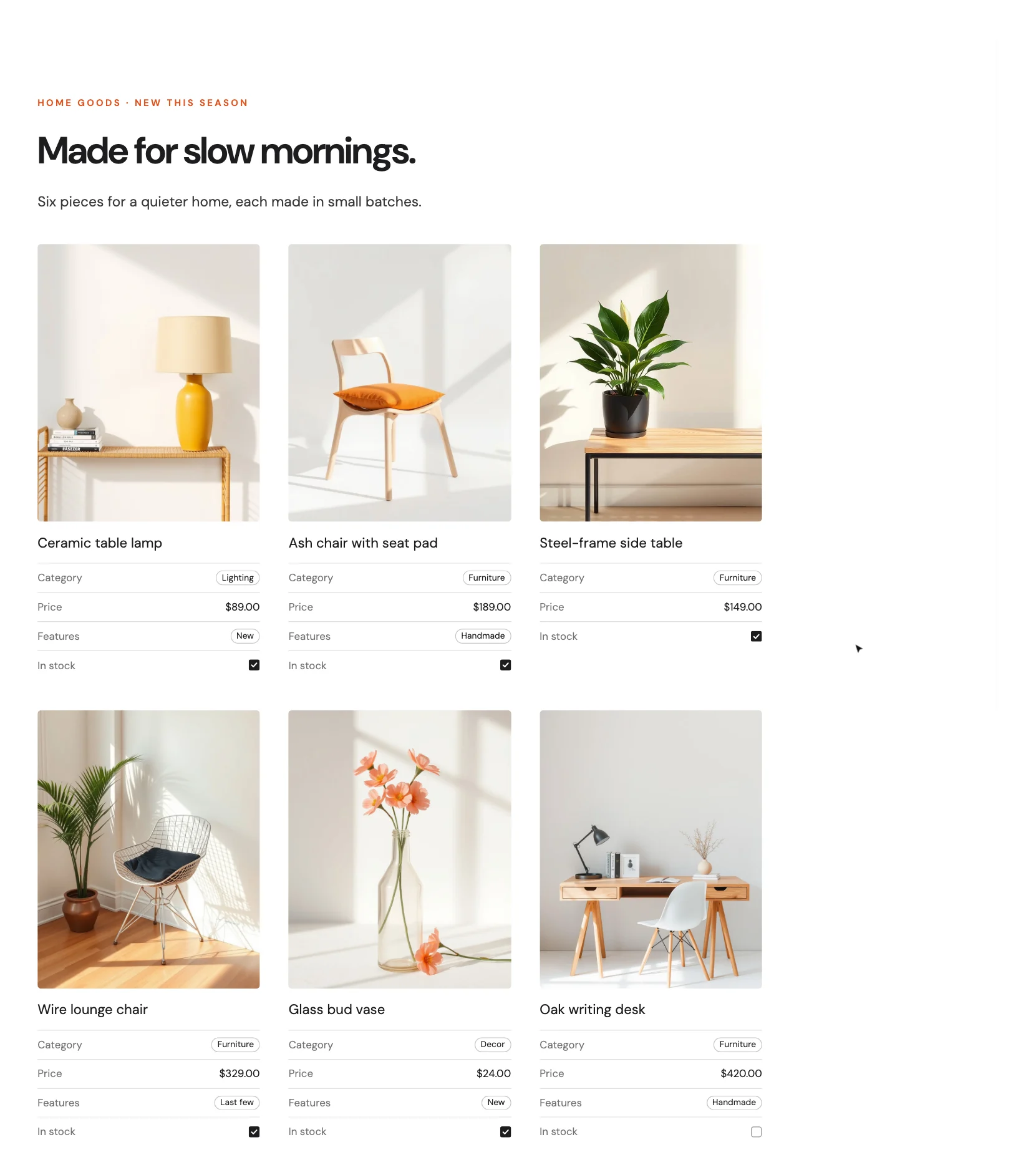
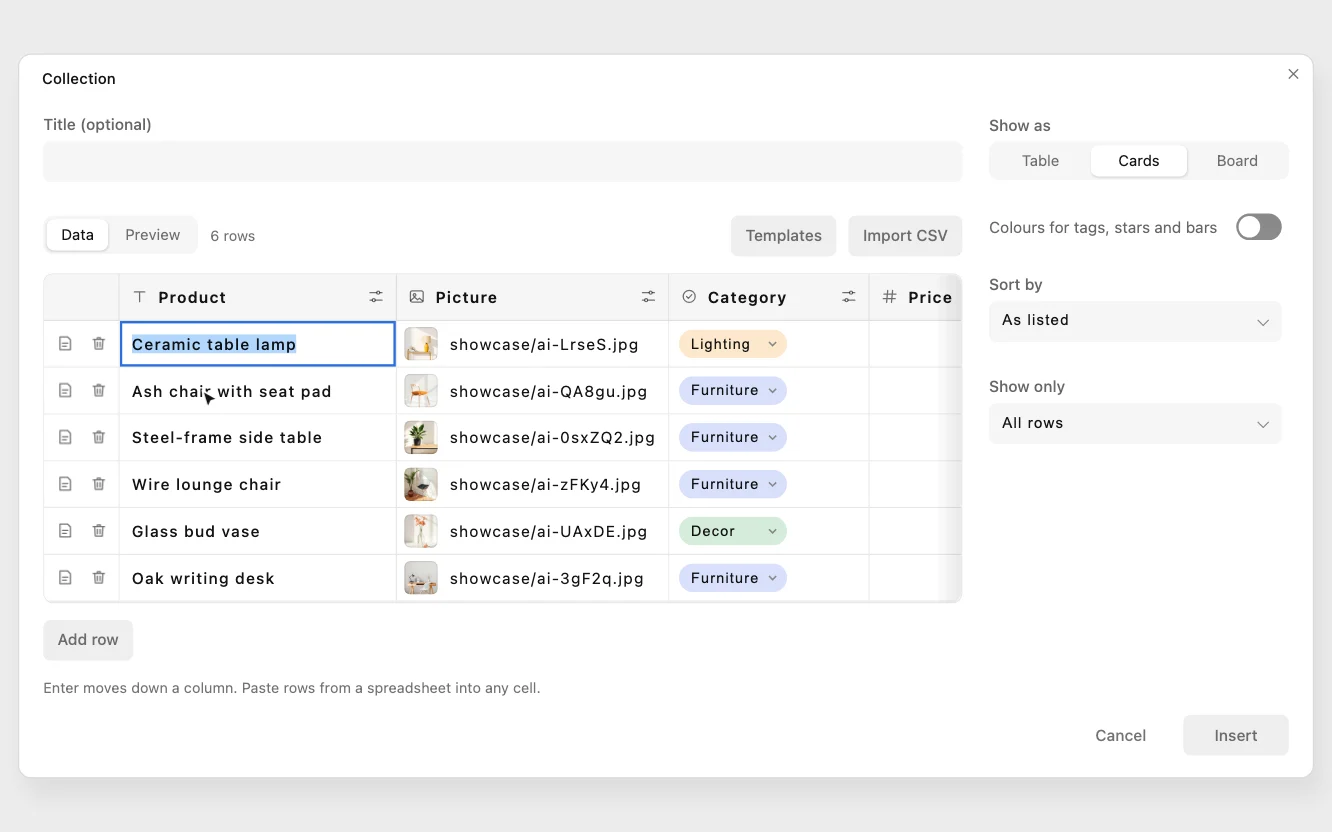
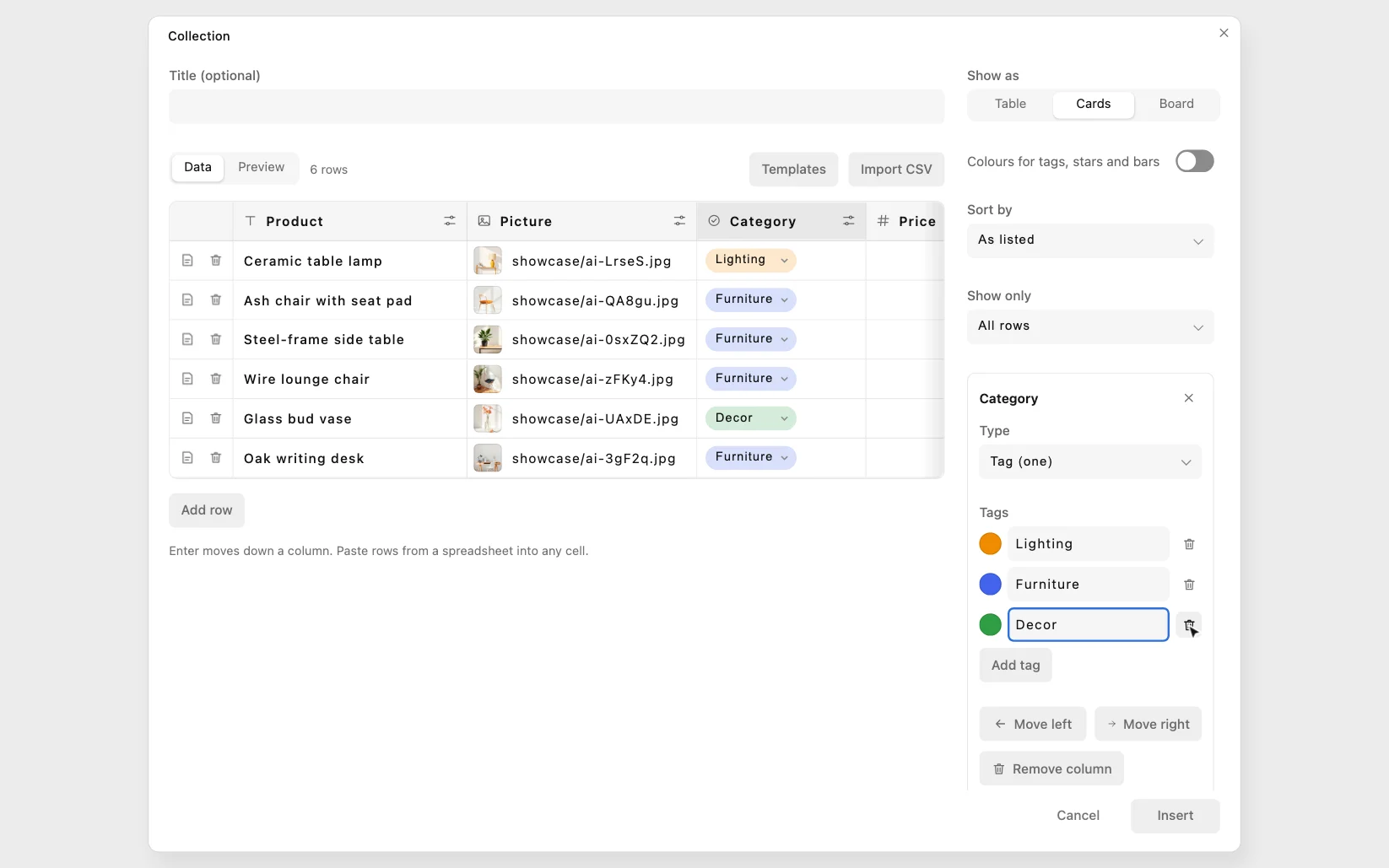
Start from the Product catalogue, paste six rows from a spreadsheet, tidy the tags, and insert them as cards.
Why it is different
Cards, a table or a board
The same rows show as cards with a picture on top, a table in one of three looks, or a board with a lane per tag. Sort by any column, or show only the rows with one tag.
Columns that know their type
Text, numbers with a currency or percent, dates, one or several tags, checkboxes, ratings, progress bars, links, emails, phone numbers and pictures. Each shows the way its kind should.
Part of the page
The collection is finished HTML in the page’s own font and colors, light or dark. No database, no spreadsheet embed, nothing extra to load.
How it works
1
Open Collection
Click where it should go and choose Collection in the Insert menu.
2
Start from a template
Product catalogue, Team, Events, Task list and more. Type over the example rows, paste rows from a spreadsheet, or import a CSV file.
3
Choose a view and insert
Cards, Table or Board, a sort order and a filter, then Insert.
Screenshots
Turn it on
Copy the add-on next to the editor files and add it to the addons option. Works with a script tag or a bundler (React, Next.js, Vue, Vite).
const builder = new ContentBuilder({
    container: '.container',
    addons: [ContentBuilderAddons.Collection()],
});
Questions
- Do visitors need anything to see it?
- No. The collection is ordinary HTML in the page, so it loads with the page and needs no script, database or account.
- Can I bring rows from a spreadsheet?
- Yes. Copy rows in Excel or Google Sheets and paste them into any cell, or import a CSV file. Each column gets the type its values look like.
- Can visitors sort or filter it?
- No. You choose the order and the filter in the editor, and the page shows the result. Rows with a note open it when a visitor clicks.
- Can I change it later?
- Yes. Double-click it, or click it and choose Edit Collection. The rows come back as you left them; saving is one step, and one Undo takes it back.
- Can I use it in my SaaS or an app I sell?
- Yes, with a Pro or Super licence of ContentBuilder.js or ContentBox.js.
- Is the source code included?
- Yes. Every add-on comes with its source code, whichever licence you have, so you can change it for your project.
- How long are updates and support?
- 1 year of free updates and email support included. Updating is optional.