Add-ons / Calendar
Calendar add-on
Mark the days. The calendar is ready.
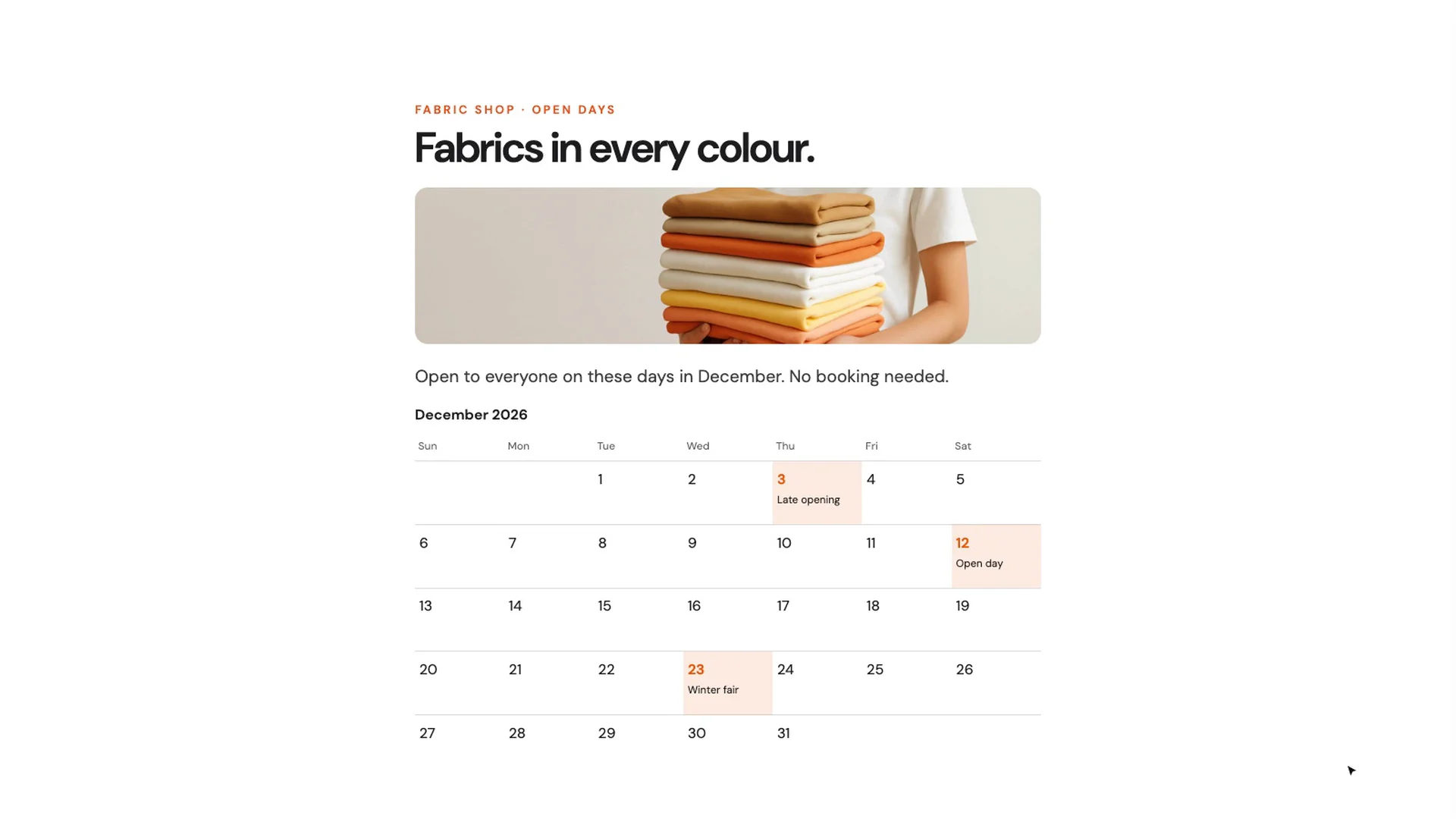
Opening days, classes, events, holidays: pick the month, click the days, give each a short label. The calendar goes into the page as ordinary text, in the page language and text styles.
$12
For ContentBuilder.js 6.0.12 and ContentBox.js 6.0.13, or newer.
One price. Use it wherever your ContentBuilder.js or ContentBox.js licence lets you use the editor, on websites or in SaaS. Source code and 1 year of updates and email support included.
Or get it in the Visual Content bundle for $179, or with all add-ons for $299.
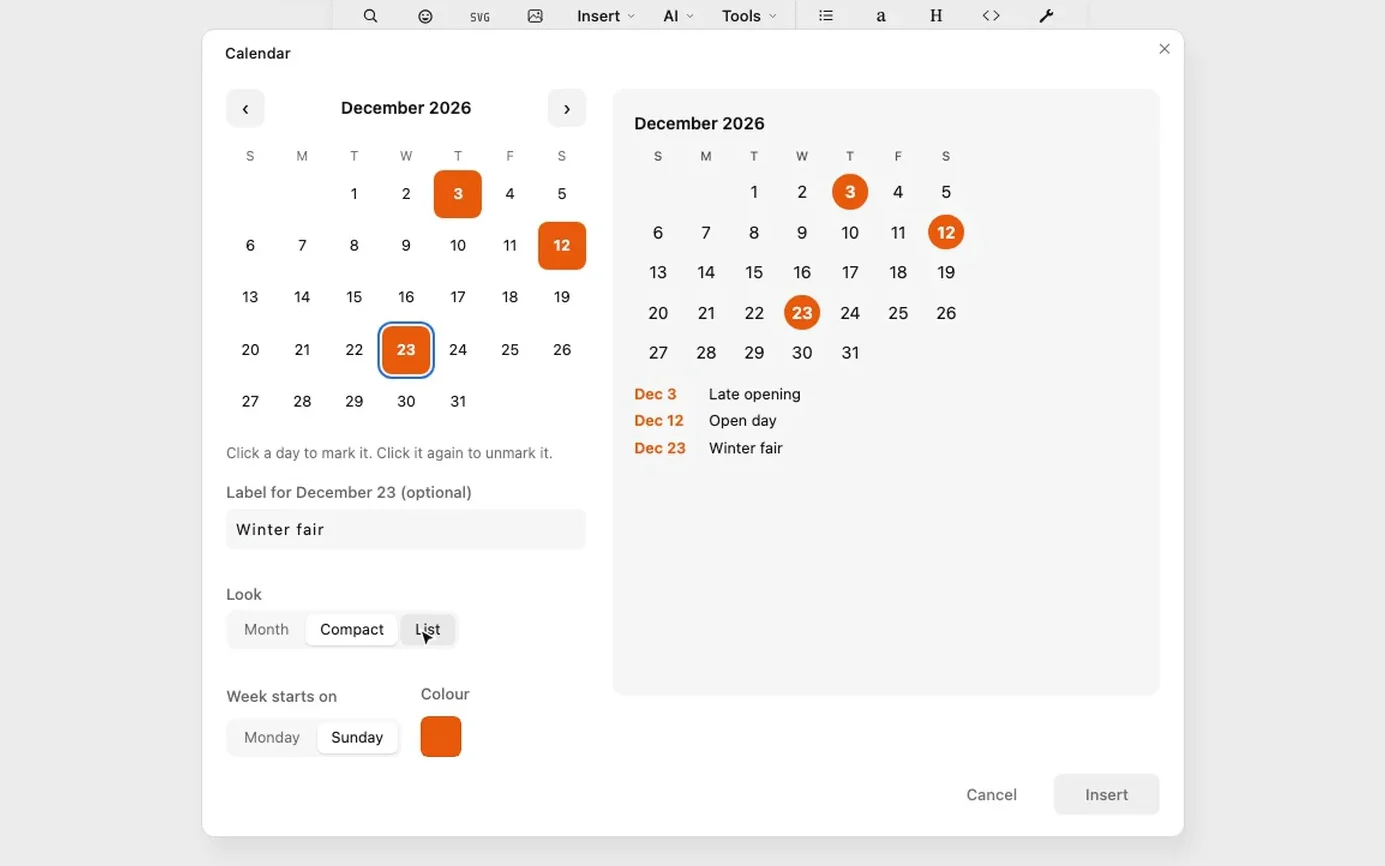
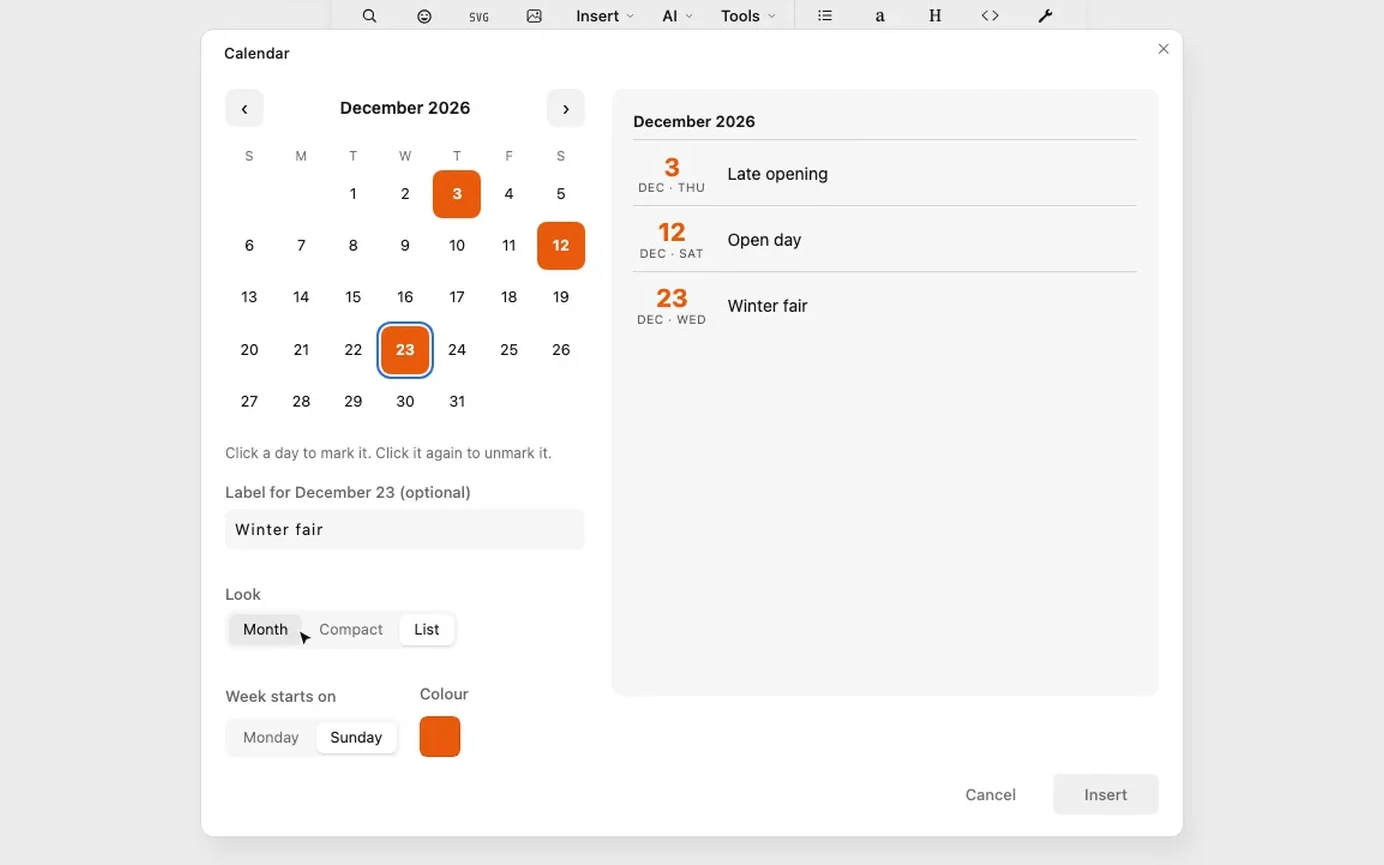
Three days marked and labelled, three looks tried, Month inserted.
Why it is different
Three looks
Month shows labels inside the days, Compact a small month with the labels below, List only the marked days, good on phones.
In your language
Month and day names follow the page language, and the week starts on the usual day for it. You can change both.
Nothing extra on the page
The calendar is ordinary text in your page styles. Nothing extra loads on the published page.
How it works
1
Insert
Click where the calendar goes and open Insert › Calendar.
2
Mark
Go to the month, click the days to mark and add a short label to each if you like.
3
Choose a look
Month, Compact or List, and a color. Insert it; double-click it later to change it.
Screenshots
Turn it on
Copy the add-on next to the editor files and add it to the addons option. Works with a script tag or a bundler (React, Next.js, Vue, Vite).
const builder = new ContentBuilder({
    container: '.container',
    addons: [ContentBuilderAddons.Calendar()],
});
Questions
- How do I change a calendar later?
- Click it and choose Edit Calendar on its tool, or double-click it. The same window opens with your days and labels.
- Can I choose the color?
- Yes, in the window. The color option sets the color it starts with.
- Which language are the month and day names in?
- The page language, from its lang attribute. The locale option sets a different one.
- Can I use it in my SaaS or an app I sell?
- Yes, with a Pro or Super licence of ContentBuilder.js or ContentBox.js.
- Is the source code included?
- Yes. Every add-on comes with its source code, whichever licence you have, so you can change it for your project.
- How long are updates and support?
- 1 year of free updates and email support included. Updating is optional.