
The Missing Piece Between ContentBox and Your SaaS
Implementation patterns and working code for building a complete site builder around ContentBox.
For developers building CMS platforms, site builders, or SaaS tools with ContentBox.
What You'll Get
The Problem
You chose ContentBox for the hard part — the visual page editor. Smart choice.
But then you discovered everything else you need to build:
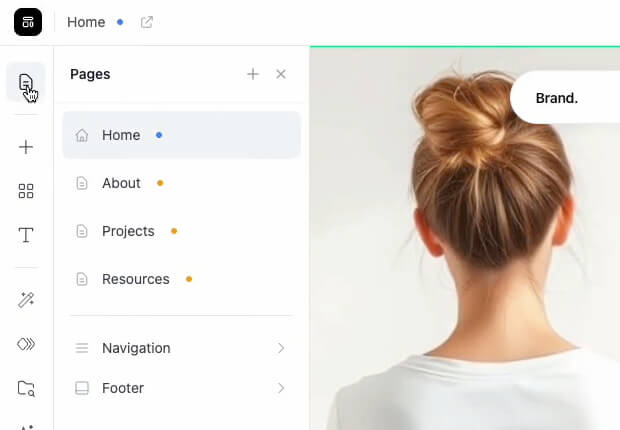
How do users manage their pages? (drafts, publishing, versioning)
What does the dashboard look like?
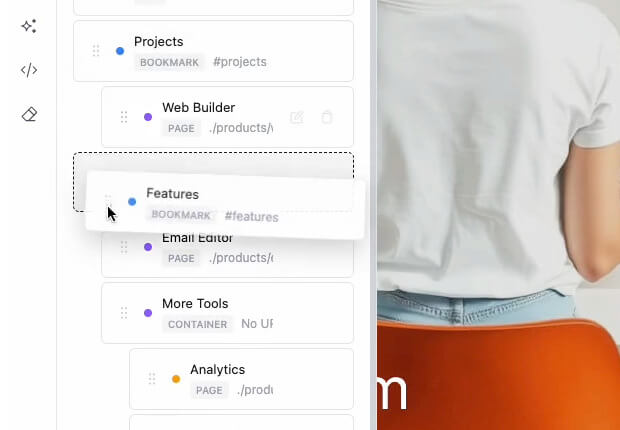
How do you manage the global site menu shown across all pages?
How do you extend sidebar panels with your app features?
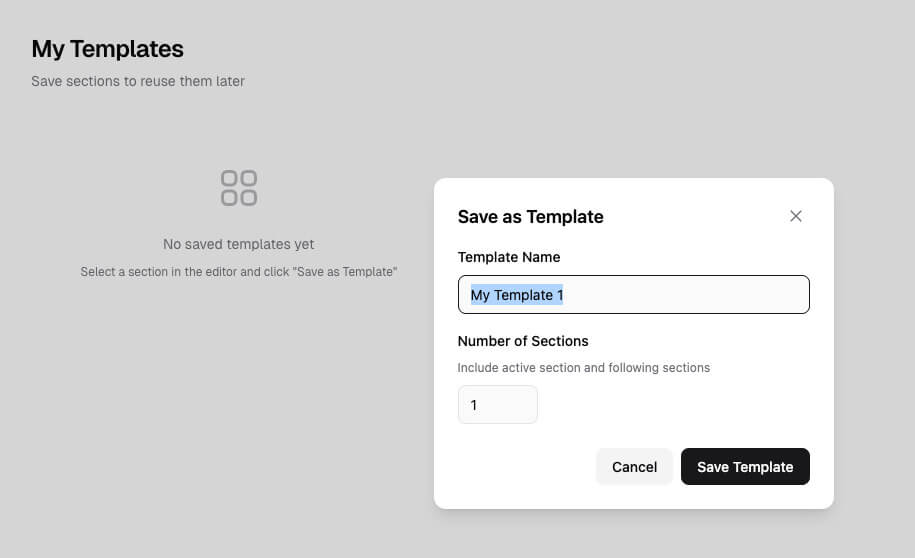
How do users save content as templates?
These aren't just ContentBox questions — they're your app questions. ContentBox gives you the editor and the flexibility. But the implementation, the UI/UX decisions, the architecture that ties it all together — that's on you.
Answering these questions takes weeks — sometimes months — of decisions and code that go beyond the editor itself.
The Solution
We've watched customers solve these same problems, one by one, for years.
Many have asked us for guidance. Some have hired us for custom implementations.
Now we offer two ways to help:
Custom Implementation
We implement the core systems in your stack — your framework, your database, your environment. Timeline discussed based on your stack.
ContentBox SaaS Starter
Working code and implementation patterns you can study, adapt, and port to your stack. For teams who prefer to build it themselves.
What's Included
The foundation your site builder needs
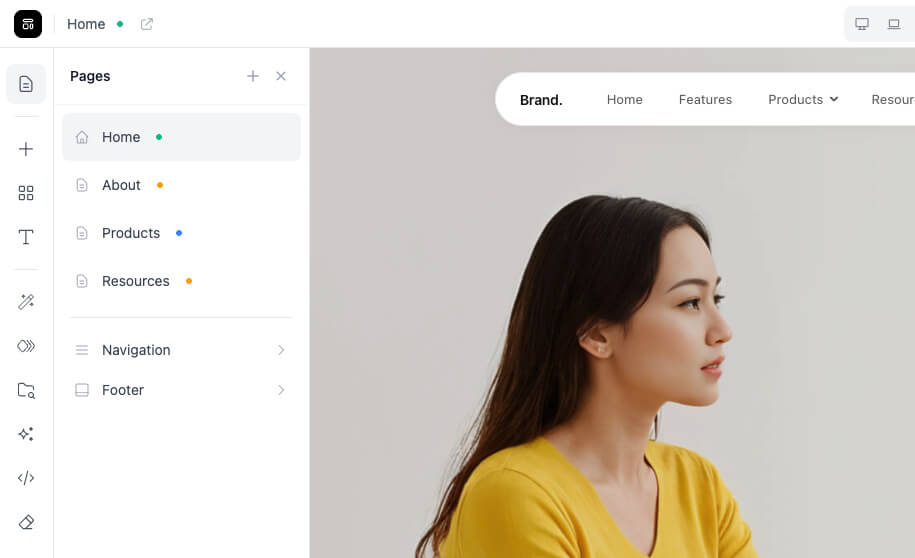
Page Management
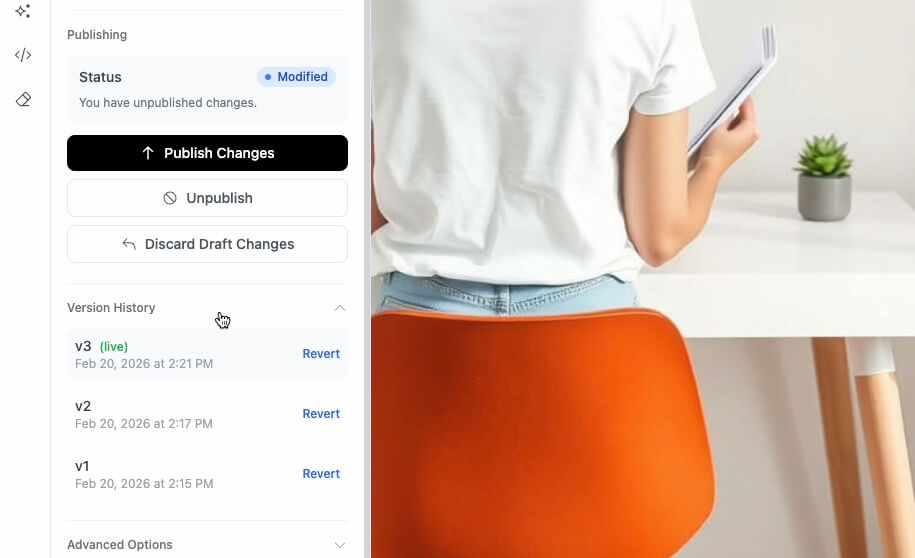
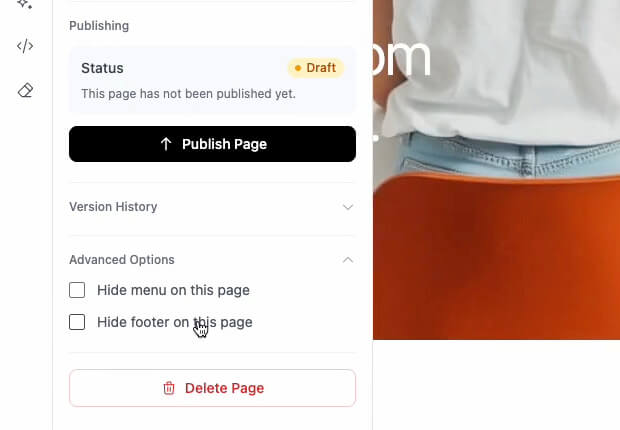
Drafts, publish, unpublish
Versioning and revert
Database schema designed for portability
Navigation System
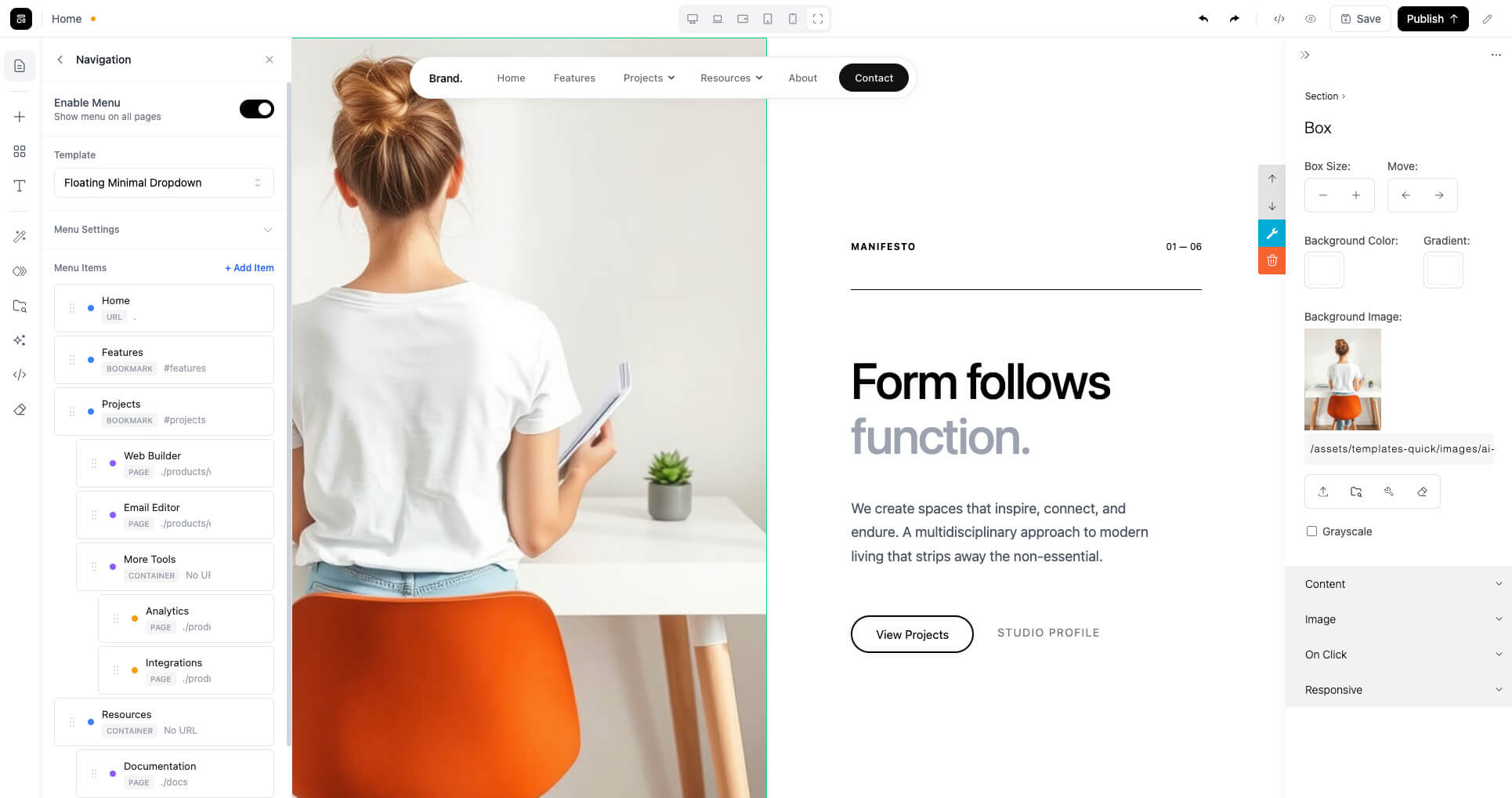
Multi-level drag & drop navigation builder
8 production-ready menu scripts
User-customizable menu options
Template System
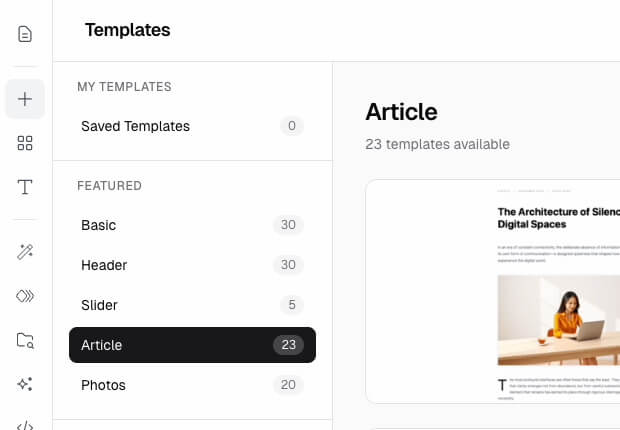
Custom templates browser — entirely custom UI
Save content as template for reuse
Template management and organization
Typography & Styling
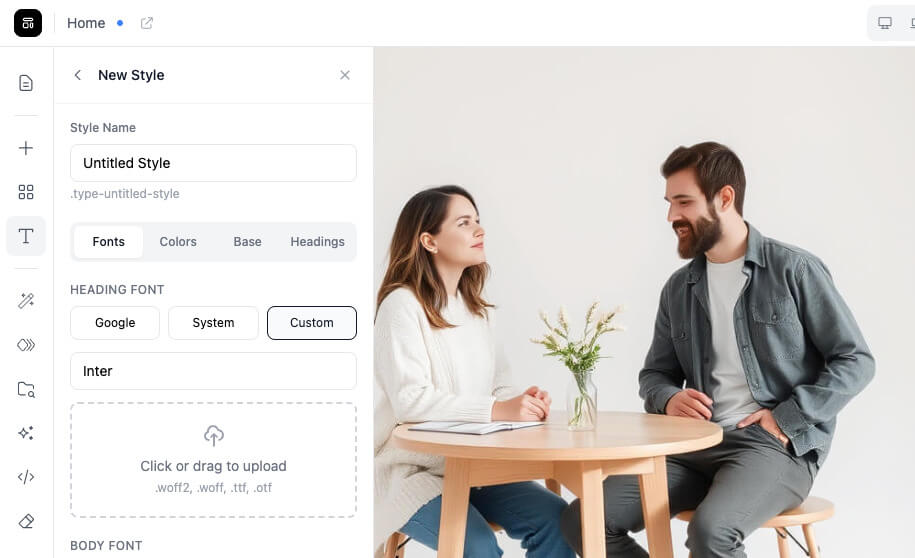
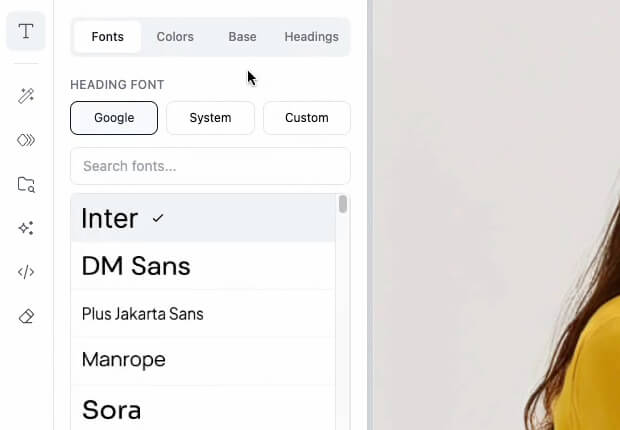
Custom typography style selection panel
User-created styles with Google Fonts
Custom font uploads
Advanced ContentBox Integration
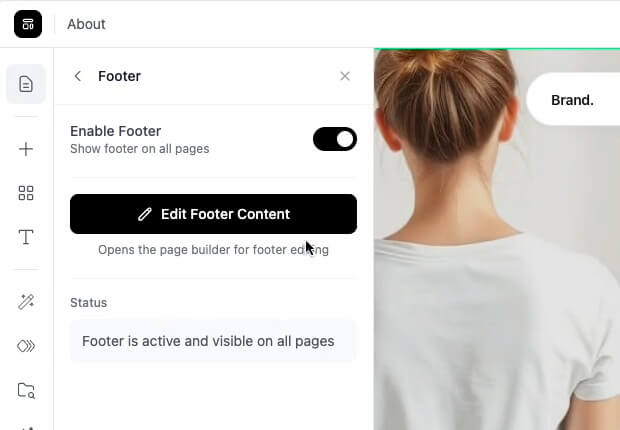
Locked content — navigation and footer as non-editable regions
Custom multi-level sidebar panel
Patterns for extending the sidebar panel with your app features
UI/UX Patterns
Unified in-editor management experience
Page and save status indicators
Production view access
Clean, modern interface design
See It in Action
Quick walkthroughs of key features
Why This Exists
Over the years, many of you have asked similar questions.
"How should I structure the page management?"
"What's a good pattern for the navigation builder?"
"How should I let users save and reuse their own templates?"
The answers come from real use cases — working with customers, studying best practices, trying various approaches, and refining what works.
We built this as a reference implementation. It follows modern UI/UX patterns that users expect from site building platforms today. It's designed to be understood, modified, and integrated into whatever you're building.
Ready to get started?
Choose the path that works for your team.
For teams who want it done
Custom Implementation
We implement the core systems in your stack. Tell us your framework and database — we handle the rest.
Timeline and pricing discussed based on your stack
Custom projects are handled one at a time. Timelines depend on current availability.
● Limited-Time Offer
Do It Yourself
Get the ContentBox SaaS Starter — working code and implementation patterns to study, adapt, and port to your stack.
- HTML + PHP backend
✓ Working CMS prototype you can run locally
✓ Includes page management, navigation, templates, typography
✓ Portable to Laravel, Next.js, Angular or your stack
$799
$599
A starting point that typically takes 4–8 weeks to figure out on your own.
About the Starter
ContentBox SaaS Starter — what to expect
The Starter is built with HTML and includes two backend implementations: Node.js and plain PHP — chosen intentionally for portability. The patterns and architecture translate easily to any stack. With AI coding tools like Claude or Gemini, you can use the Starter as context to accelerate implementation in your preferred framework — Laravel, Next.js, .NET, or anything else.
If you later decide to go with a Custom Implementation, your Starter purchase will be credited toward the project cost.
This Is
✓ Working code you can study, adapt, and use
✓ Advanced ContentBox integration examples
✓ Implementation patterns that work across tech stacks
✓ A starting point that saves weeks of architecture decisions
✓ Ideas and strategies for common site builder features
This Is Not
— A plug-and-play product (you will customize it)
— A supported application (it's provided as-is, open for your modifications)
About Custom Implementation
Custom Implementation — what to expect
Custom Implementation follows the same architecture and patterns from the ContentBox SaaS Starter — built in your preferred stack. The result is a starter project for your SaaS, ready for you to extend with your own business logic.
The focus is entirely on CMS fundamentals and visual editing — page management, publishing, versioning, global content (menus, footers), templates, typography, and advanced ContentBox integration. We deliberately keep it free of opinionated choices like authentication, subscription billing, or domain management — so you can use whichever libraries and services you already prefer.
This makes the implementation a flexible foundation that fits a wide range of SaaS scenarios, rather than locking you into decisions that aren't ours to make.
A note on how this works: Implementation patterns developed during custom projects may be made available as pre-built stack options for future customers at a lower price point. You're paying for priority — getting it built for your stack, on your timeline.
Available Now
- Angular 21 + NestJS + Prisma + PostgreSQL
- Next.js 16 + Prisma + PostgreSQL
These stacks have already been implemented and are available as pre-built packages — no wait time, lower cost than a custom project. . Get in touch for details and pricing.
Included
✓ A starter project in your stack following the SaaS Starter patterns
✓ Page editing, publishing, and version management
✓ Global content — navigation and footer systems
✓ Template and typography systems
✓ Advanced ContentBox integration (locked regions, custom sidebar)
✓ Dashboard UI for managing all of the above
Not Included
— Authentication or user management (use your preferred library)
— Subscription or billing flows
— Custom domain management
— Business-specific features or workflows
These are yours to build with the tools and libraries you prefer.