Add-ons / Dot Forms
Dot Forms add-on
Quiet motion for a hero or a pause in the page.
A moving picture at the top of a page usually means an animation file and a script to play it, or a video. With this add-on you pick one of twenty forms made of dots, such as a sunflower swaying on its stem, a whale gliding past or rings rising from the middle, and it goes into the page with its motion written inside it. It draws in the page’s text color, so it suits the page as it is. Double-click it later to change anything.
$19
For ContentBuilder.js 6.0.12 and ContentBox.js 6.0.13, or newer.
One price. Use it wherever your ContentBuilder.js or ContentBox.js licence lets you use the editor, on websites or in SaaS. Source code and 1 year of updates and email support included.
Or get it in the Visual Content bundle for $179, or with all add-ons for $299.
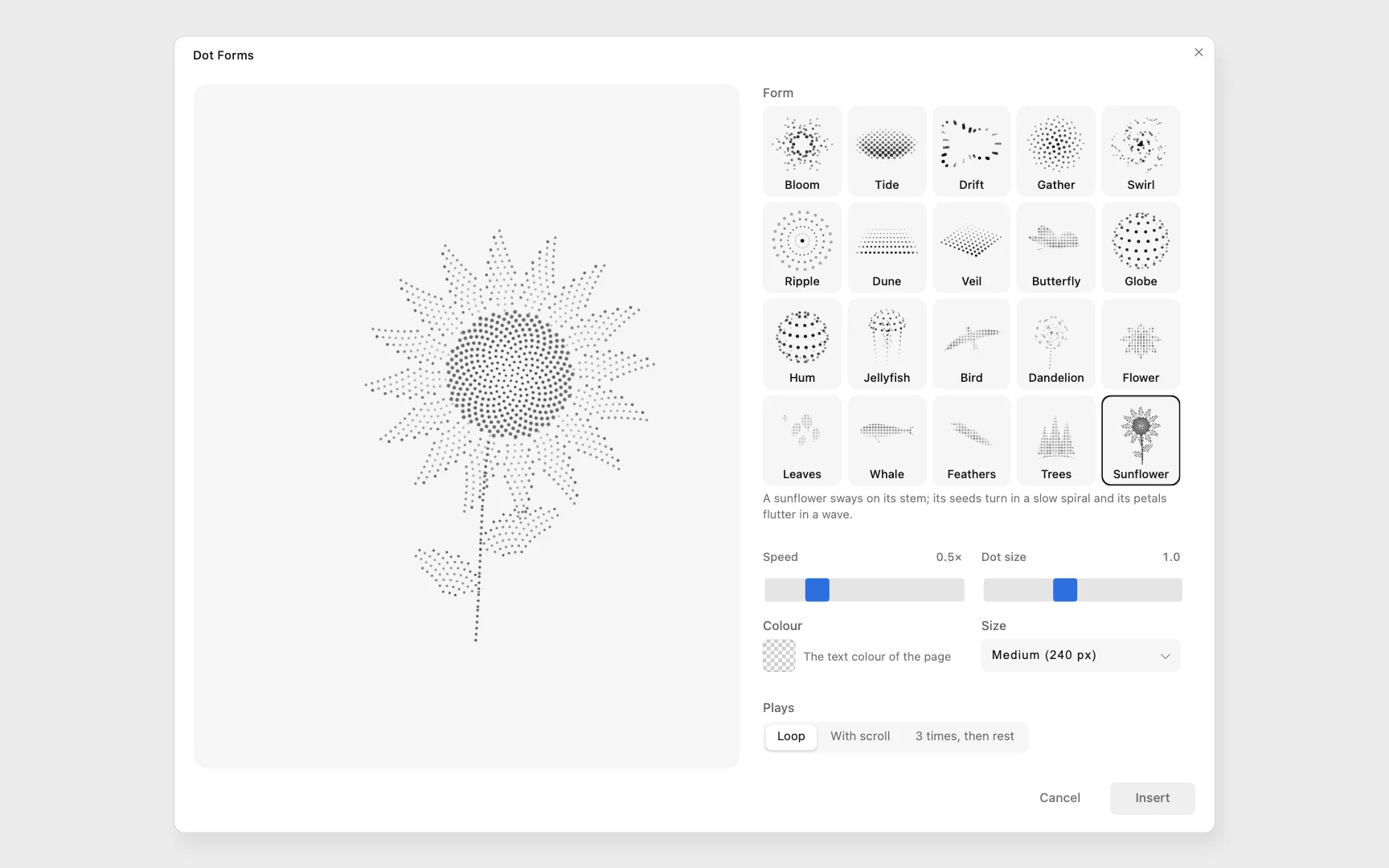
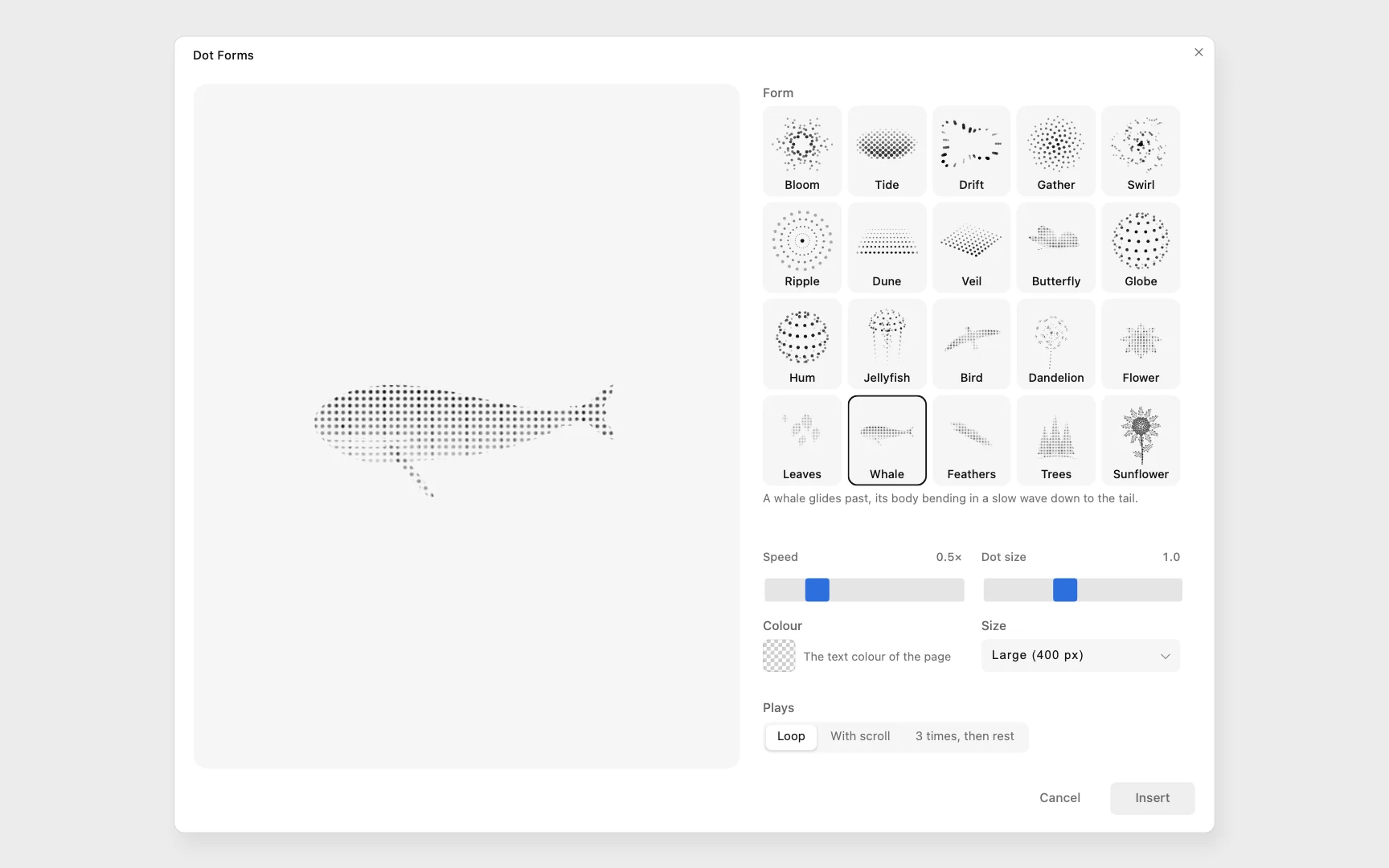
Open Dot Forms, look at the Whale and the Dandelion, choose the Sunflower at medium size, and insert it above the heading.
Why it is different
Twenty forms
Bloom, Tide, Drift, Gather, Swirl, Ripple, Dune, Veil, Butterfly, Globe, Hum, Jellyfish, Bird, Dandelion, Flower, Leaves, Whale, Feathers, Trees and Sunflower. Each moves slowly, so it sits beside text without pulling the eye away.
Plays the way you choose
In a loop with a small pause button, with scroll (it moves only while visitors scroll), or three times and then rests. Visitors who ask their device to reduce motion see it still.
Part of the page
The form is drawn in the page with its motion inside it, in the page’s text color or one you pick, from small to full width. No animation file, no script, nothing extra to load.
How it works
1
Open Dot Forms
Click where it should go and choose Dot Forms in the Insert menu.
2
Pick a form
Each one plays in the large preview as you choose it.
3
Set it and insert
Speed, dot size, color, size and how it plays, then Insert.
Screenshots

Turn it on
Copy the add-on next to the editor files and add it to the addons option. Works with a script tag or a bundler (React, Next.js, Vue, Vite).
const builder = new ContentBuilder({
    container: '.container',
    addons: [ContentBuilderAddons.DotForms()],
});
Questions
- Do visitors need anything to see it?
- No. The form is part of the page with its motion written inside it, so it plays with no script, animation file or video.
- Can visitors stop the motion?
- Yes. A form that plays by itself has a small pause button in its corner, which works with a click, a tap or the keyboard. Visitors who ask their device to reduce motion see the form still.
- Can I change the color?
- Yes. It uses the page’s text color to start with, so it matches the text around it, or you can pick any color.
- Can I change it later?
- Yes. Double-click it, or click it and choose Edit Dot Form. The window opens with your settings, and one Undo takes a change back.
- Can I use it in my SaaS or an app I sell?
- Yes, with a Pro or Super licence of ContentBuilder.js or ContentBox.js.
- Is the source code included?
- Yes. Every add-on comes with its source code, whichever licence you have, so you can change it for your project.
- How long are updates and support?
- 1 year of free updates and email support included. Updating is optional.